-
Click your initials in the top right corner, then select Settings.


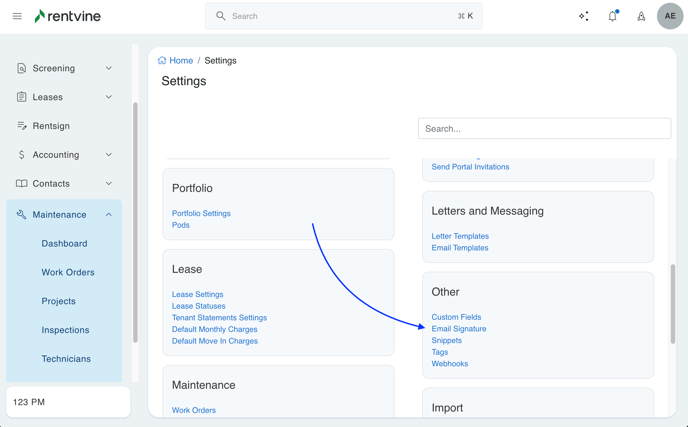
- Scroll down to the Other section and click Email Signature
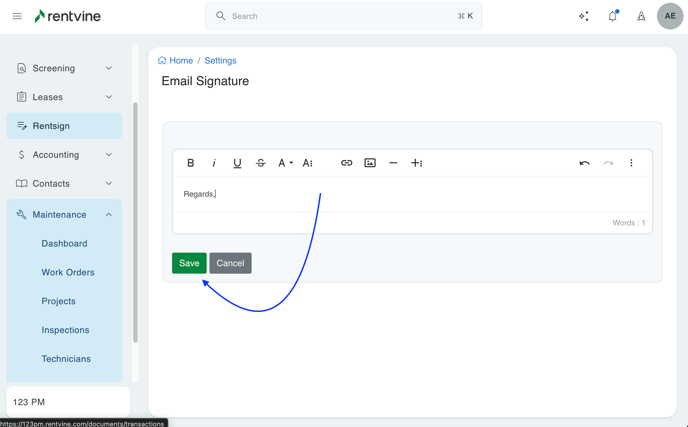
- Enter your Email Signature and then click Save when finished
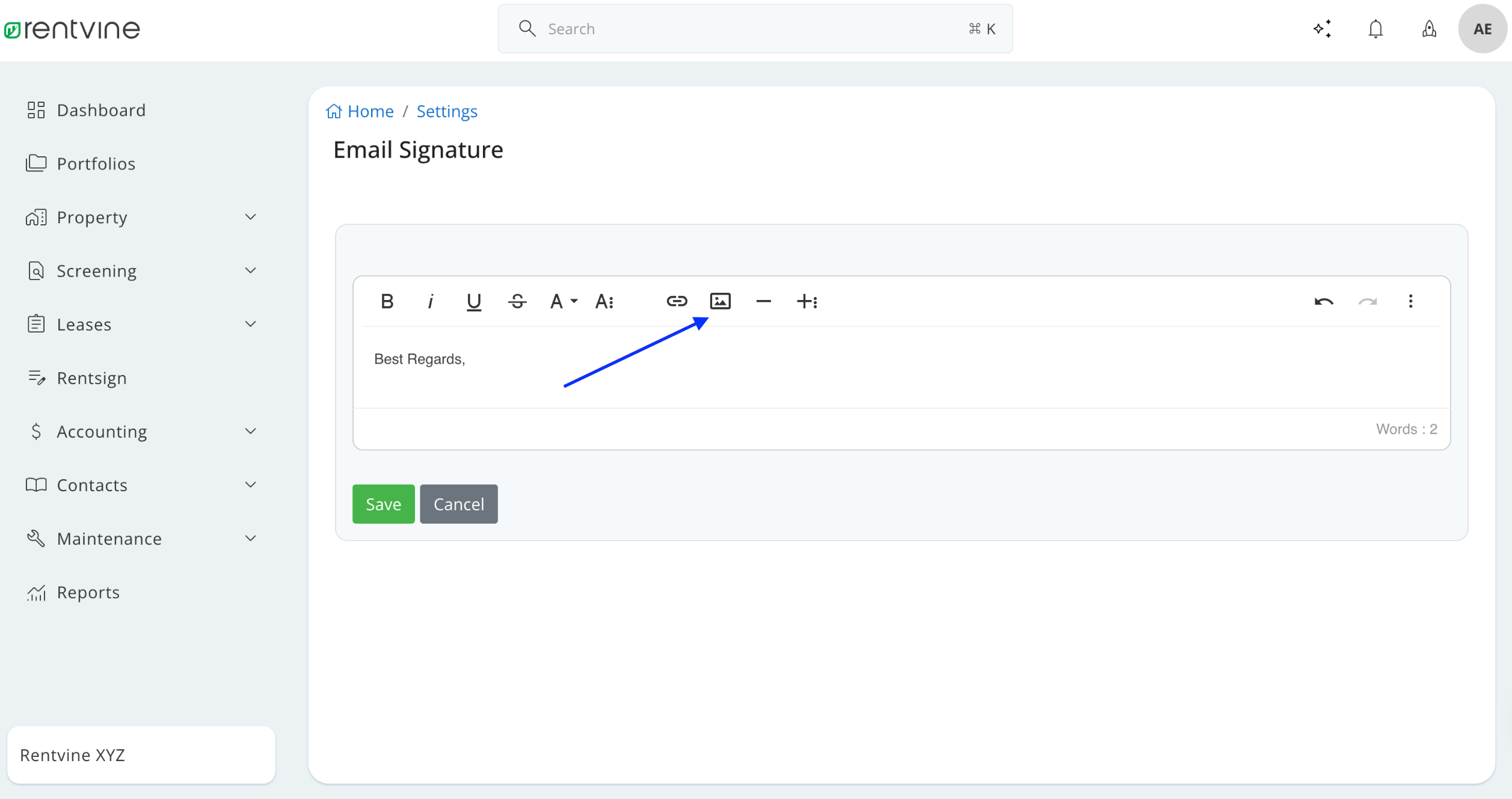
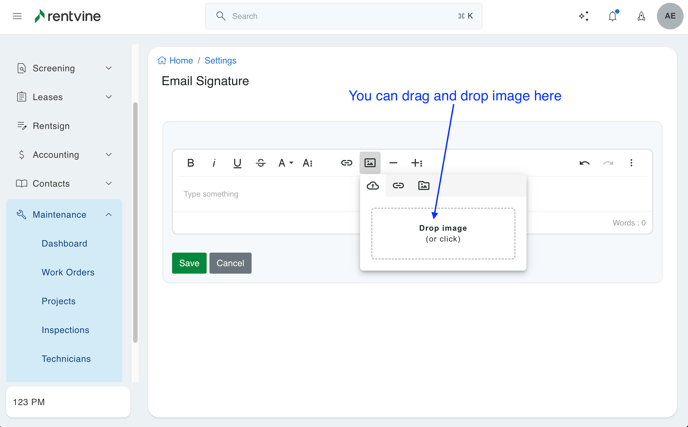
You can also add photos and links to your signature
- To add a photo, click the Photo icon
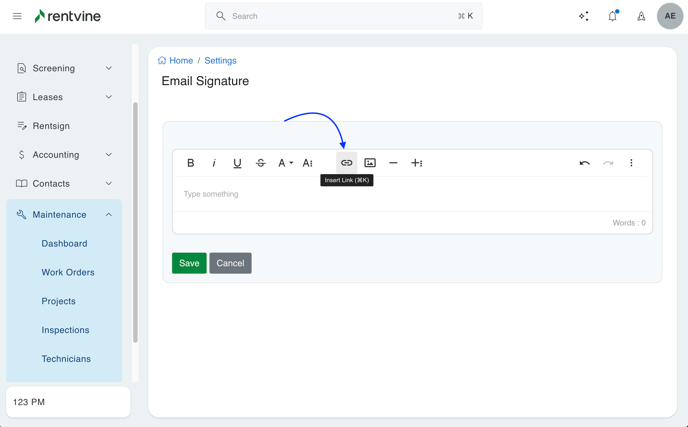
- To add a link, click the Link icon
- Enter the URL and Display Text you would like for it to show in signature
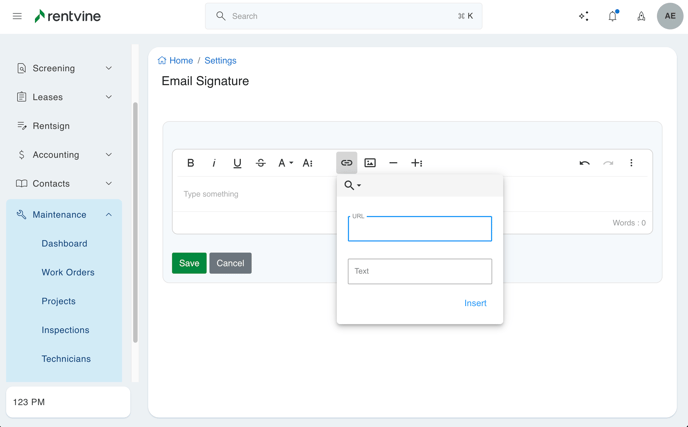
- Enter the URL and Display Text you would like for it to show in signature
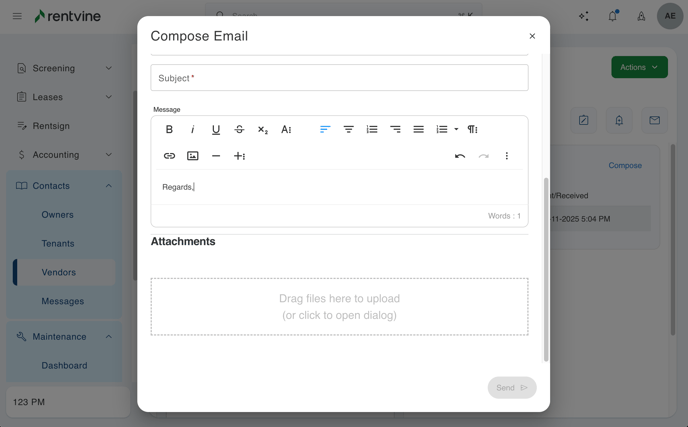
- Your Email Signature will automatically appear in future emails created in the software