
At Rentvine, data security is a top priority. In this week’s Rentvine Academy video, Sales Engineer Cristian Torres demonstrates how to use custom user roles to control access to sensitive information—like social security numbers, EINs, and bank account details—directly within your Rentvine account.
What’s new in user role management
1. Create user roles with restricted access
Rentvine now allows property managers to create custom security-restricted roles. These roles can limit visibility and editing access to sensitive data without removing a user’s ability to perform other key management functions.
For example, you can prevent users from viewing or modifying:
-
Social security numbers (SSNs) and EINs
-
Bank account details
-
Payment information
-
1099 and tax-related fields
This is especially useful for teams where multiple users need access to Rentvine but only certain employees should handle sensitive financial or identity data.
2. Simple setup in Global Settings
Setting up restricted roles is easy:
-
Go to Global Settings > Users, Roles and API Keys
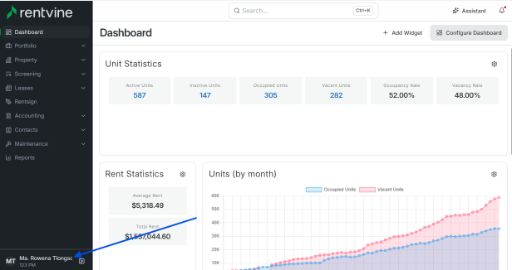
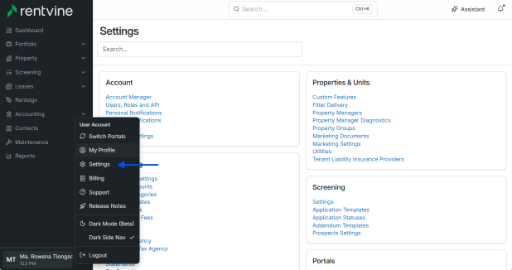
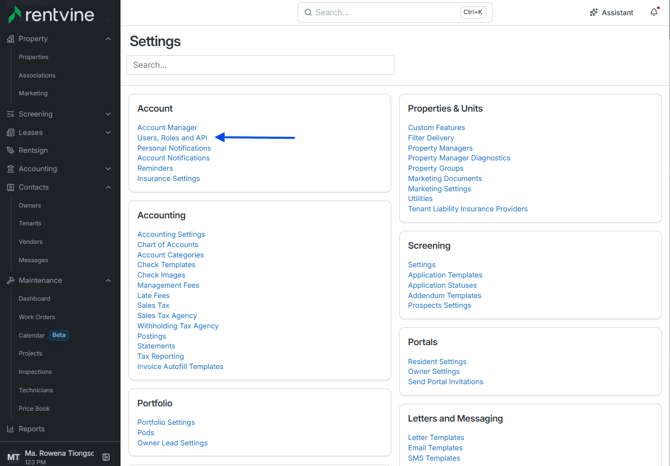
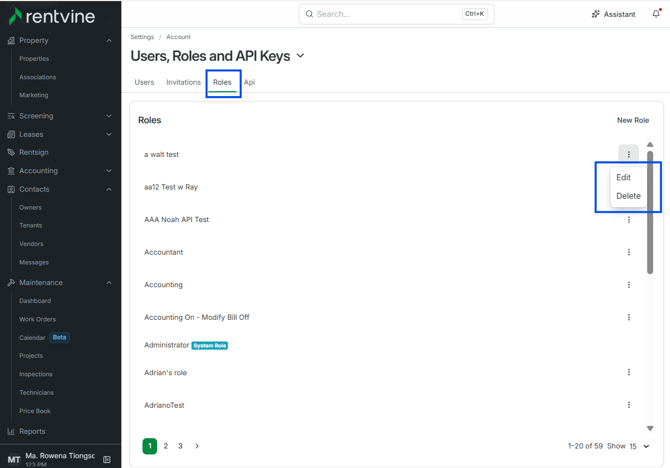
Create or edit a role (e.g., “Security Restriction Role”)
Under Administration, toggle off:
-
Manage Payment Info
-
Manage Bank Accounts
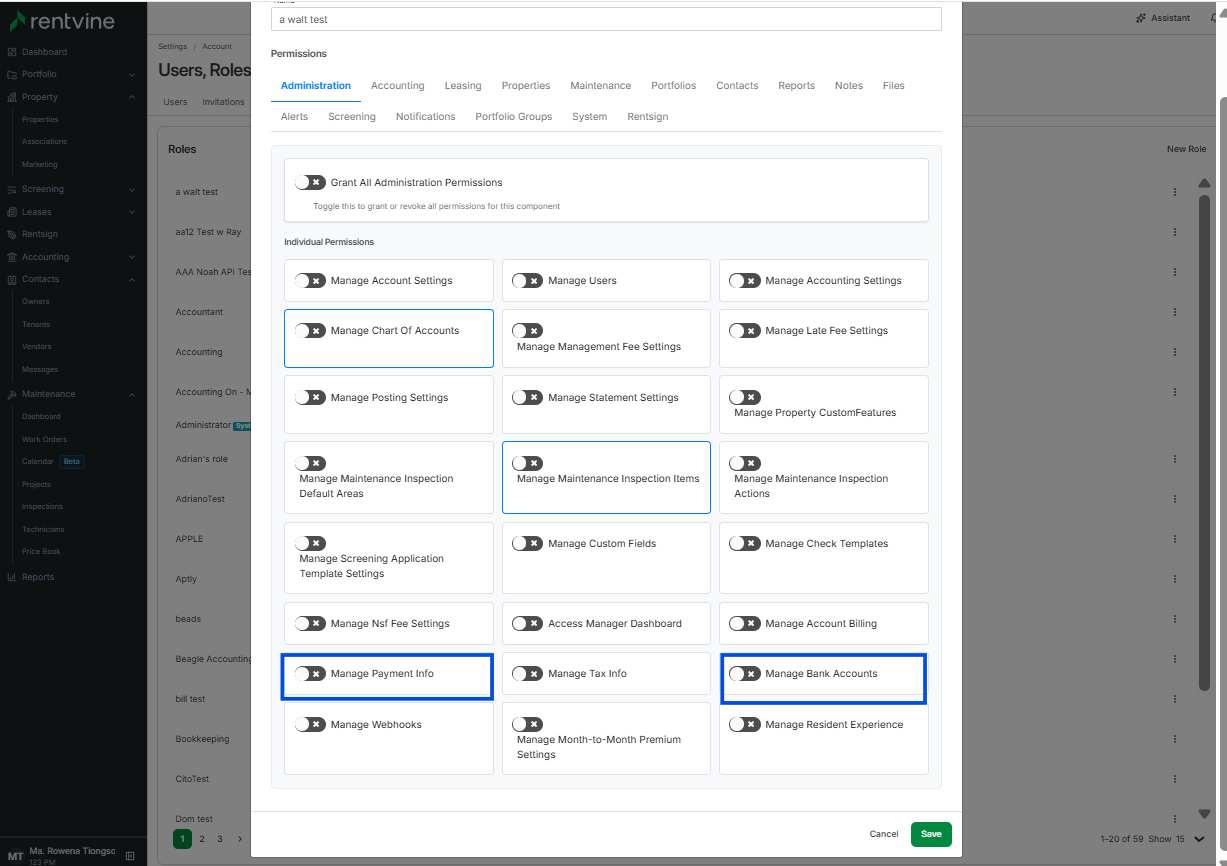
In the Screening and Contacts sections, toggle off permissions related to viewing or editing SSNs, EINs, or 1099 information
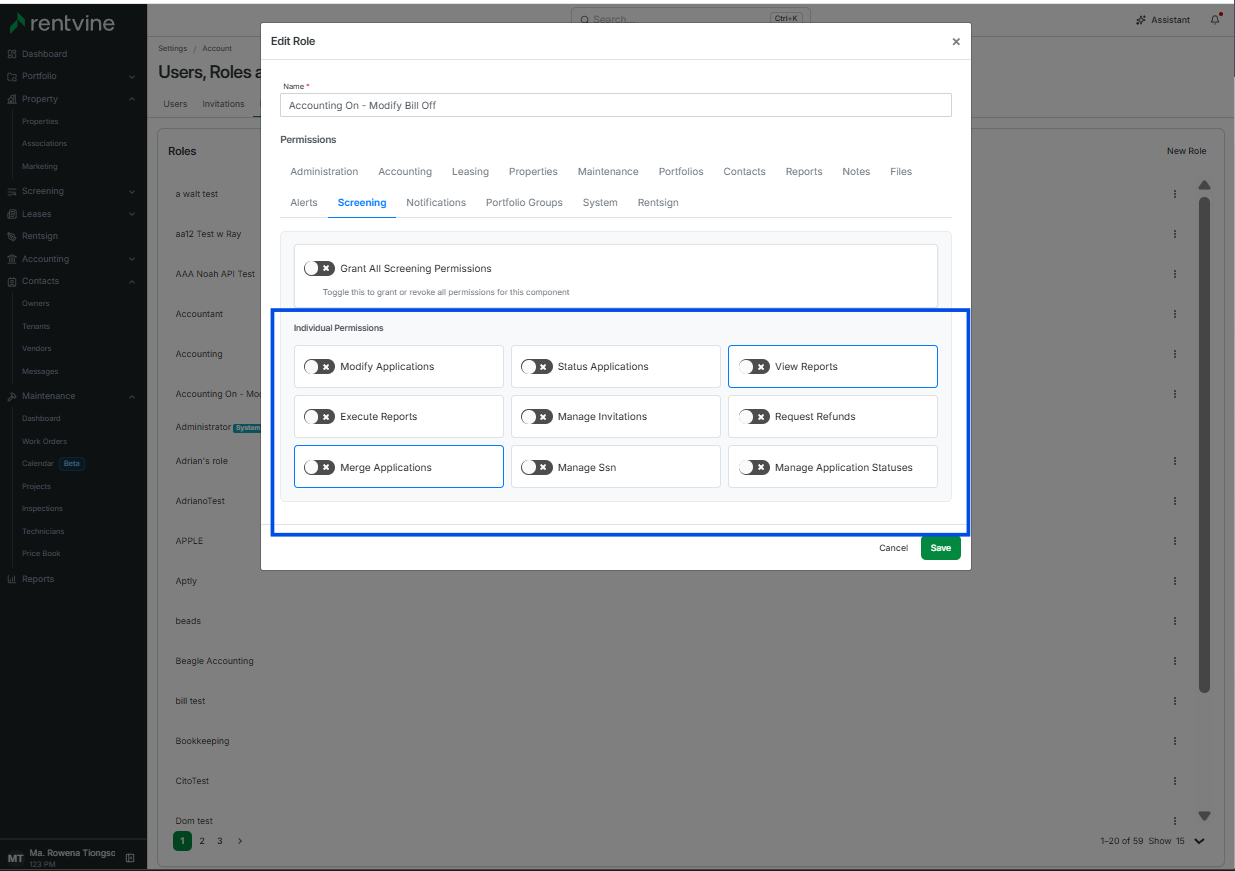
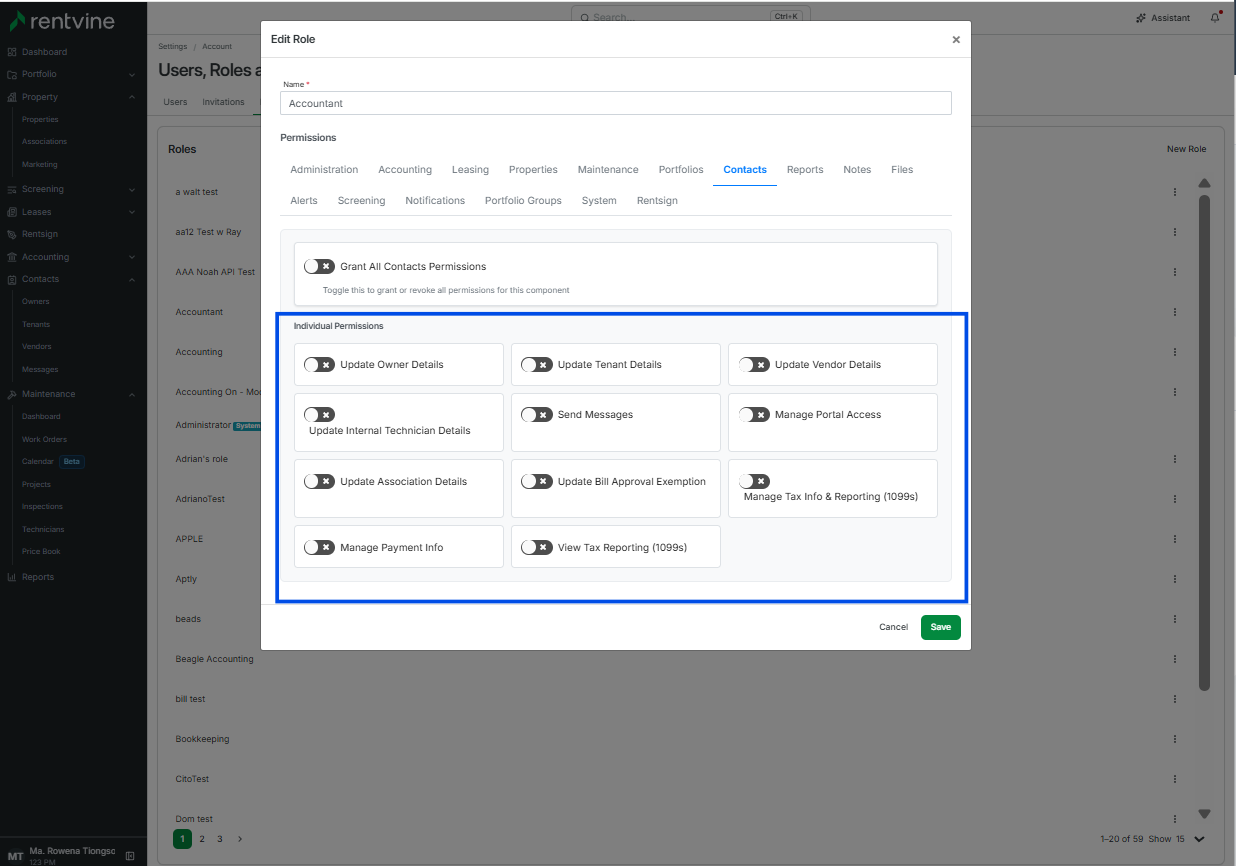
Once saved, users assigned to this role will no longer see or edit sensitive fields across the platform.
3. Real-time visibility control
When a restricted user navigates to a bank account, tenant, owner, or applicant page, they’ll only see partial data (such as the last four digits of an account number). They’ll still be able to access other operational details, but fields for sensitive data will appear hidden or non-editable.
This ensures your team can stay productive while your company remains compliant and secure.
Why it matters
Security and transparency go hand-in-hand in property management. Rentvine’s new user role permissions allow companies to confidently grant account access without risking exposure of confidential information—helping you maintain compliance, build trust, and keep data safe.