
At Rentvine, we’re always building features that give property managers greater control and flexibility.
In this week’s Rentvine Academy video, Sales Engineer Alex Cordova walks through a brand new enhancement to Rentvine e-signatures, the ability to customize expiration dates and reminder notifications.
What’s new in e-signature settings
1. Global customization options
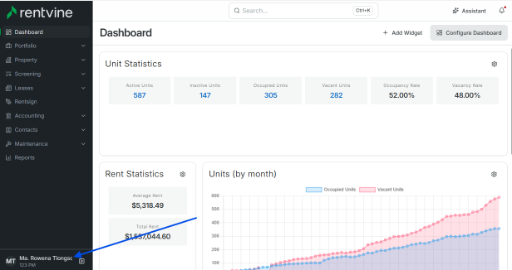
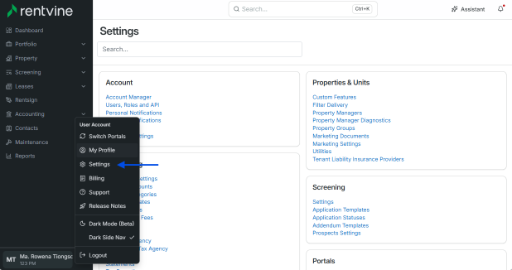
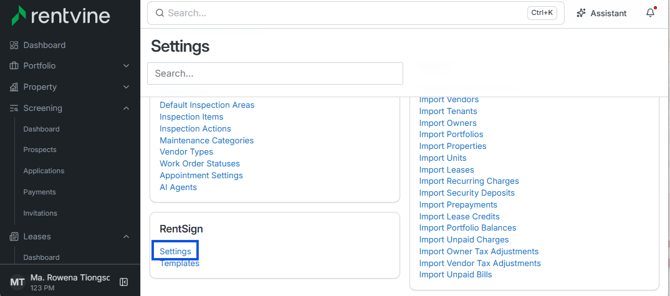
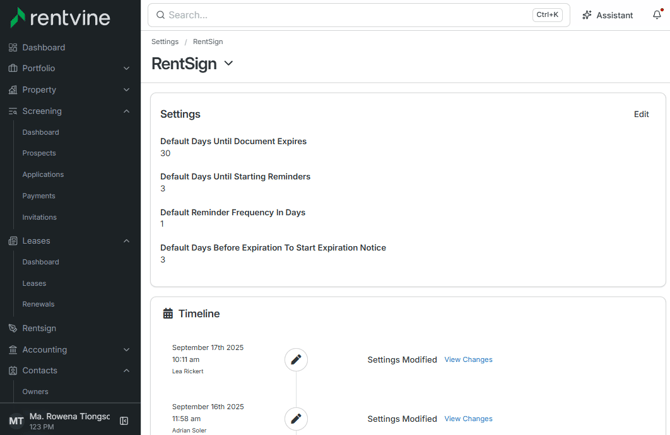
In your global settings, you’ll now see a new Rentvine Settings section. From here, you can:
-
Set the default number of days before e-signatures expire
-
Adjust when reminders begin sending to recipients
This means you’re no longer locked into the previous 120-day default expiration period.
2. Document-level flexibility
Need something different for a specific lease, PMA, or other agreement? No problem. When you send a document for signature through Rentvine, you can override the global defaults and set custom expiration dates and reminders for that individual document.
3. More control, less hassle
These updates may seem small, but they go a long way toward helping property managers tailor their signing workflows to specific agreements, business practices, or compliance requirements, all without extra clicks or complexity.
Why it matters
E-signatures are a critical part of modern property management, but not every agreement should follow the same rules. By giving you control over expiration and reminders, Rentvine makes the process more flexible, efficient, and aligned with your business needs.