
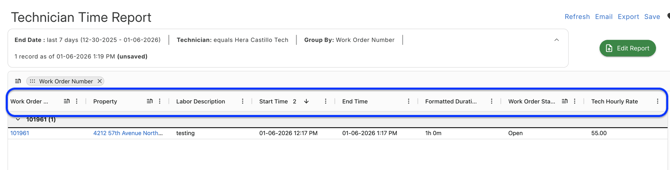
- The Technician Time Report provides detailed insights into each technician’s time entries, including hourly labor rates, work descriptions, durations, and more.
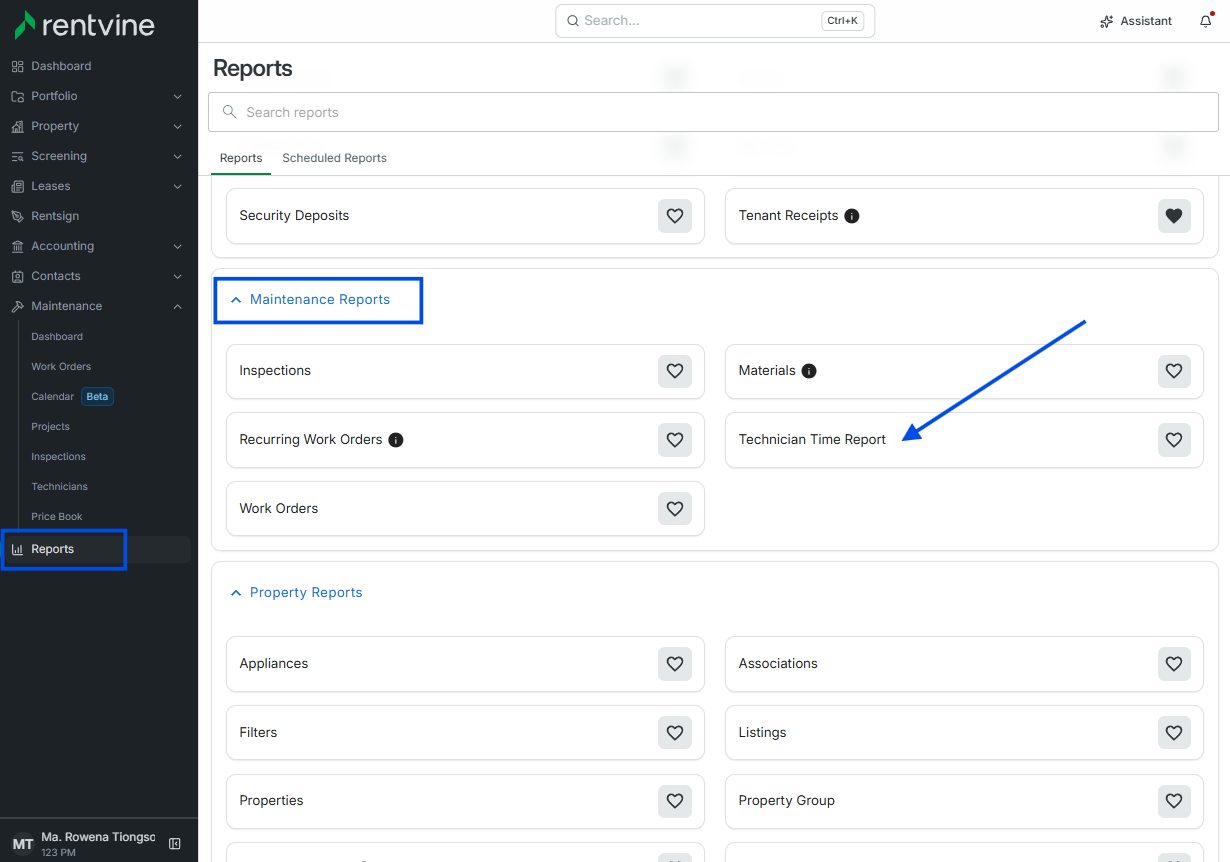
- To find this report, go to the Reports tab and select Technician Time Report
- This report will show things mentioned previously
You can also add these additional columns to view any more data needed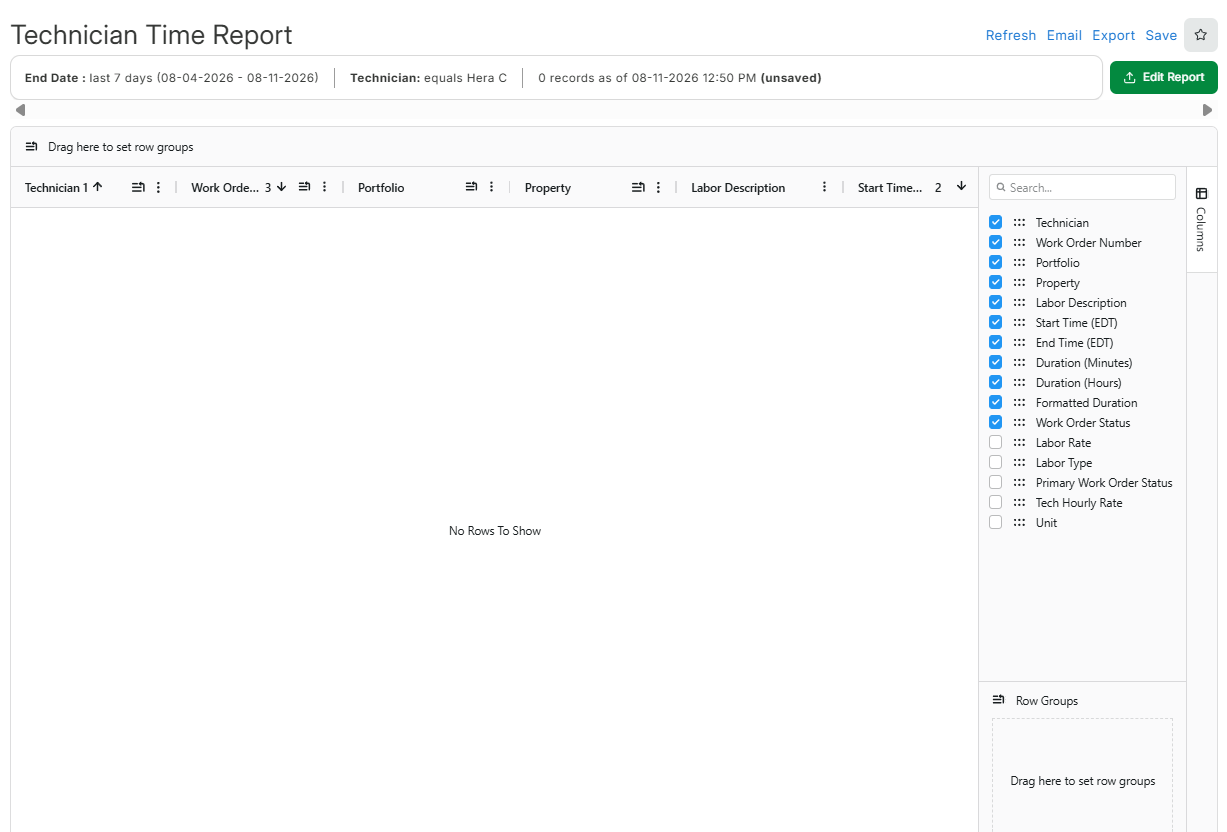
- This report offers a clear breakdown of labor activity, making it an excellent tool for streamlining internal payroll processes, monitoring hours worked by your in-house technicians, and evaluating labor-related costs efficiently.
-
The Materials Report provides a detailed breakdown of the materials logged by technicians on work orders, so you can compare those materials against your credit card statements.
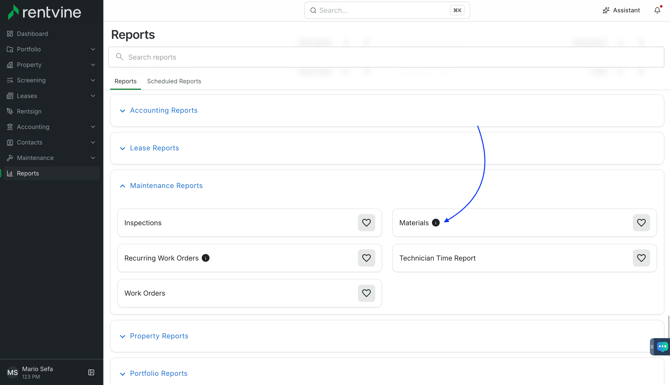
- To find this report, go to the Reports tab and select Materials Report (listed under Maintenance Reports)
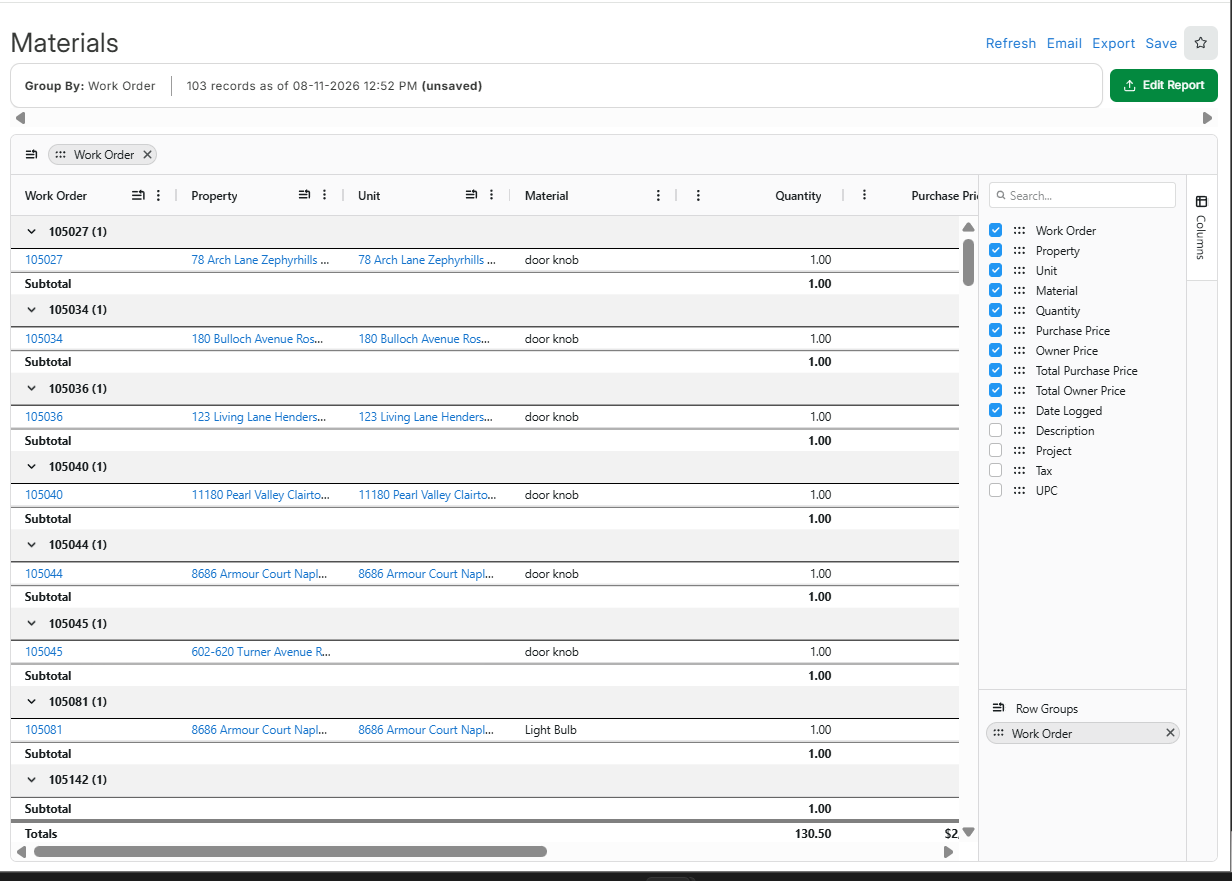
- By default, the report is grouped by Work Order and sorted by Date Logged (descending).
- The report includes the following columns: Work Order, Property, Unit, Material, Quantity, Purchase Price, Owner Price, Total Purchase Price, Total Owner Price, and Date Logged.

You can also add these additional columns to view any more data needed: Description, UPC, and Tax.
-
The Total Purchase Price and Total Owner Price columns carry both group subtotals and an overall report subtotal.
-
This report offers a clear breakdown of materials logged against work orders, making it an excellent tool for reconciling technician-logged materials with credit card statements, tracking material costs by property, and monitoring overall internal maintenance spend.