![rentvine-logo-white-rgb-1600px.png]](https://help.rentvine.com/hs-fs/hubfs/rentvine-logo-white-rgb-1600px.png?height=40&name=rentvine-logo-white-rgb-1600px.png)
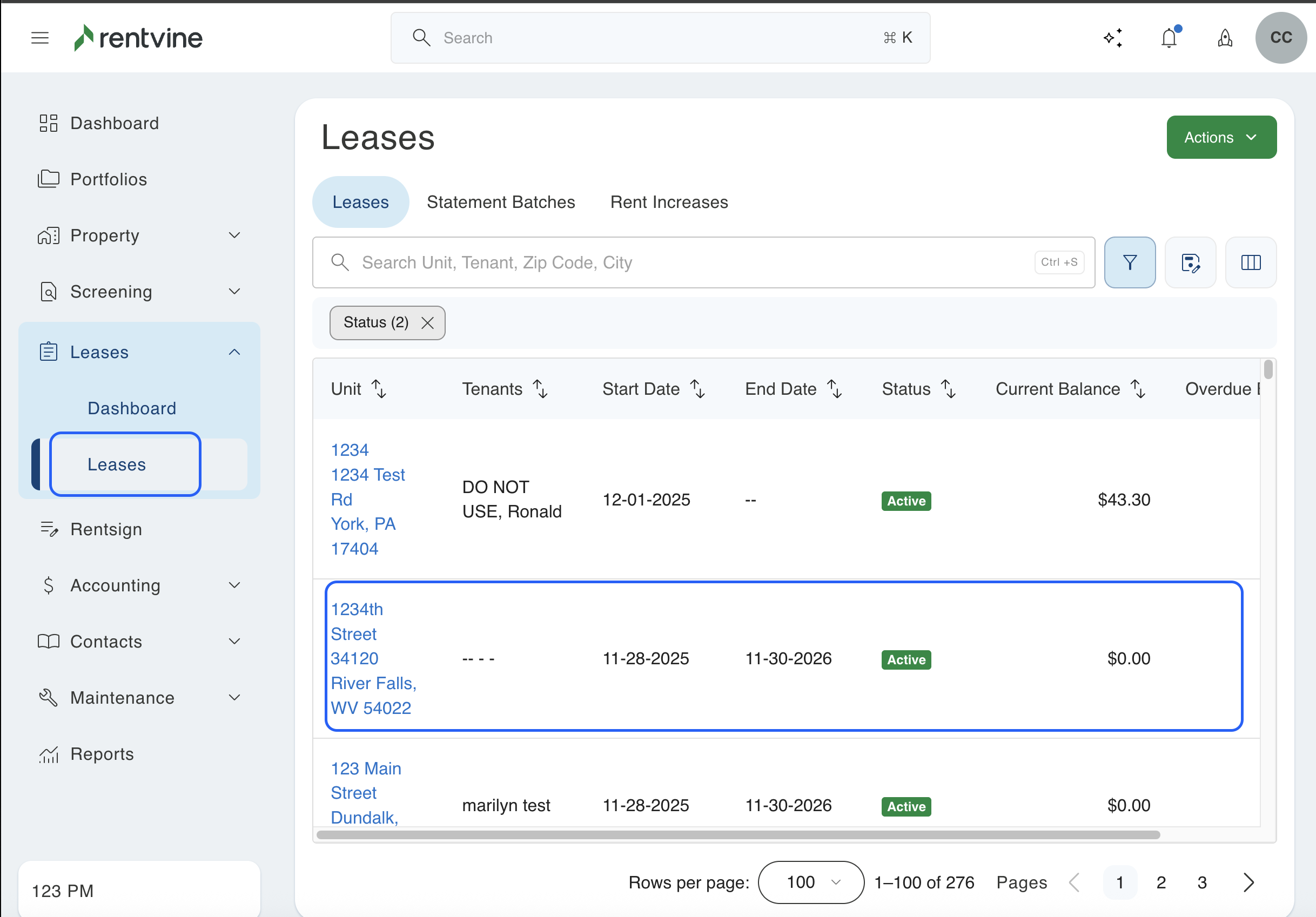
1. Click on the tab labeled "Leases" on the left side of the screen. This will pull up a list of all the leases you have.
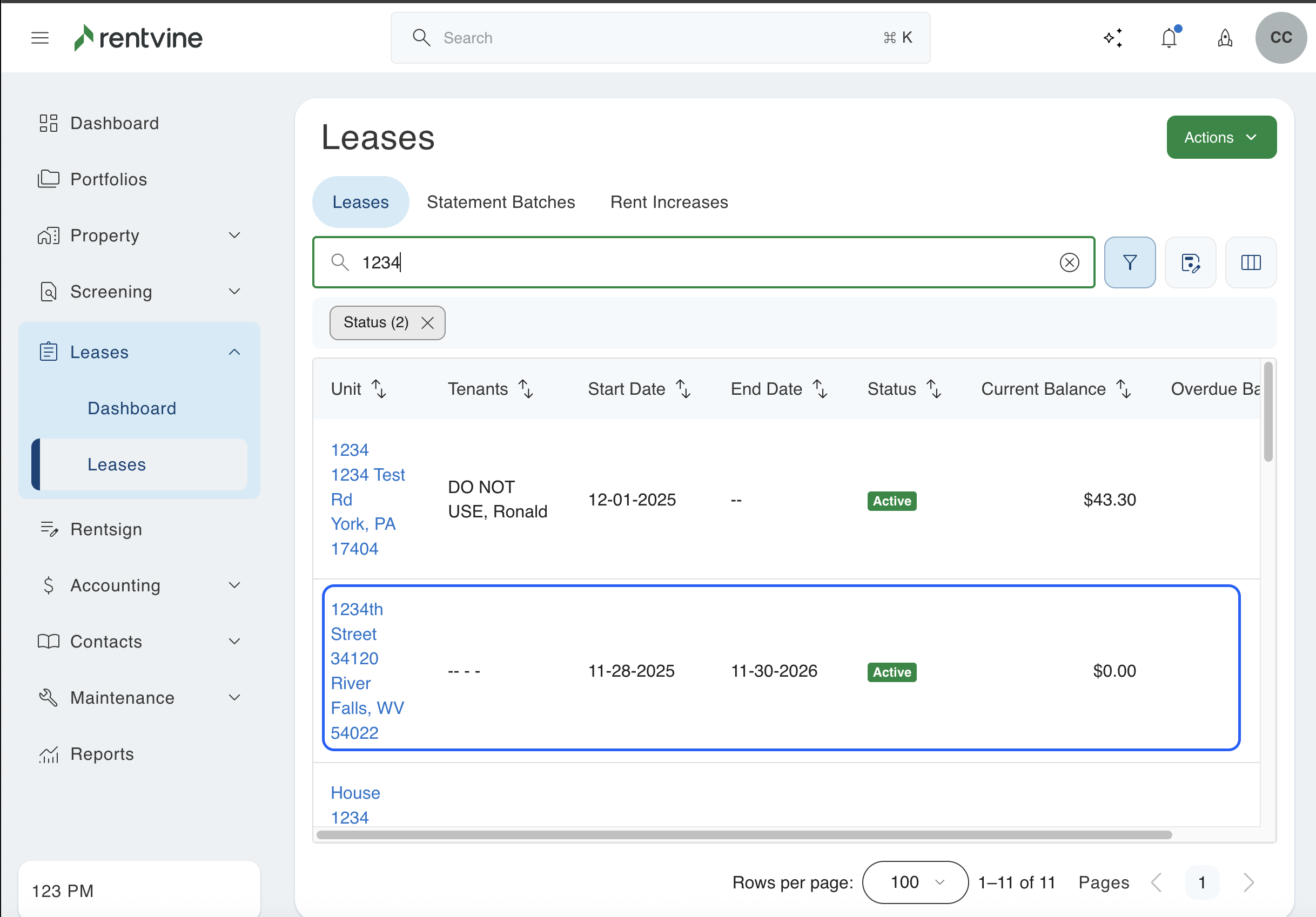
2. Next, you will search for the specific lease you want to send a chat message in. You will then click on that property to pull up the lease.
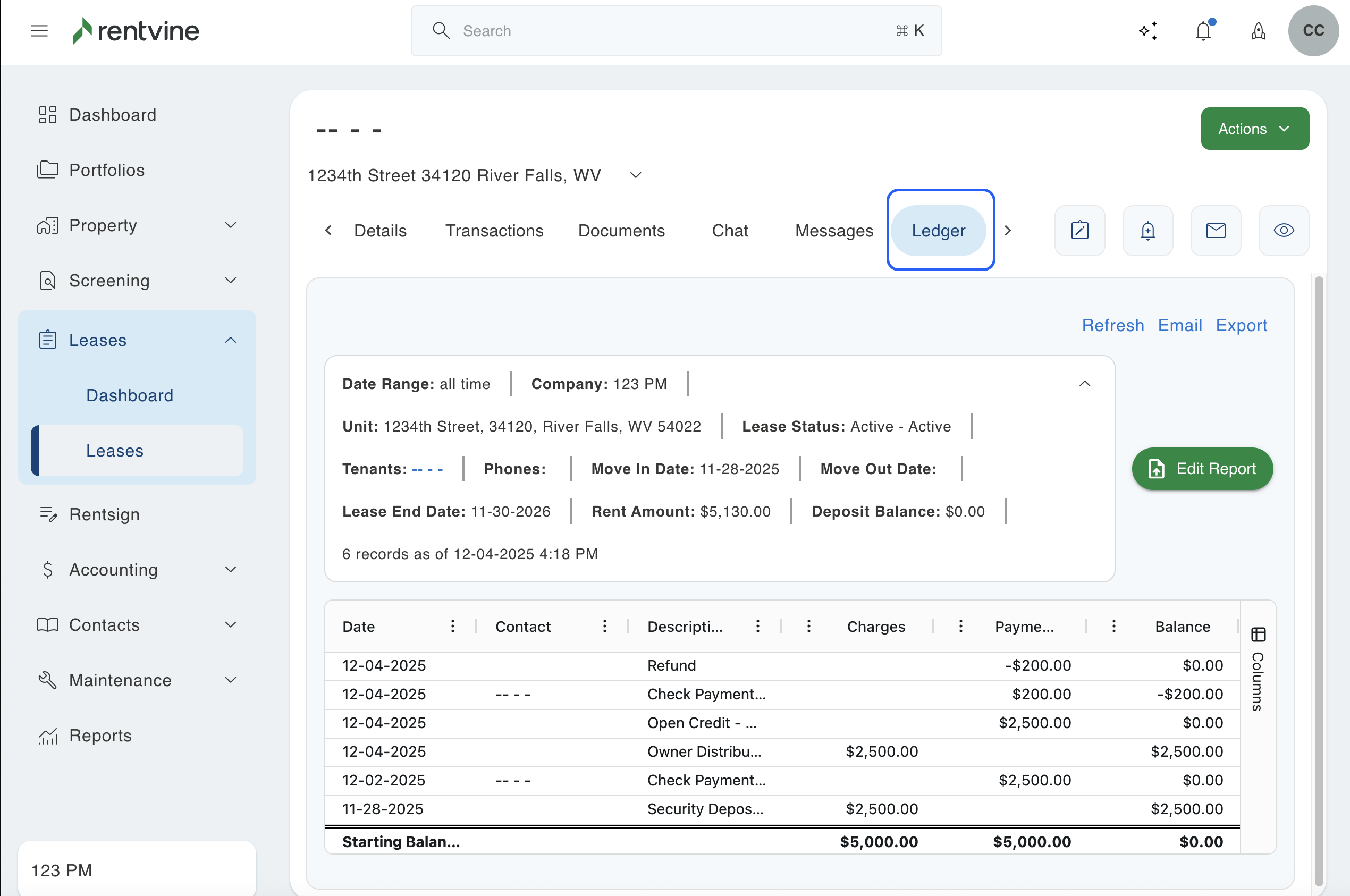
3. You will then click on the "Ledger" tab at the top to view the ledger. You will then be able to see all of the transactions that have happened in this lease.
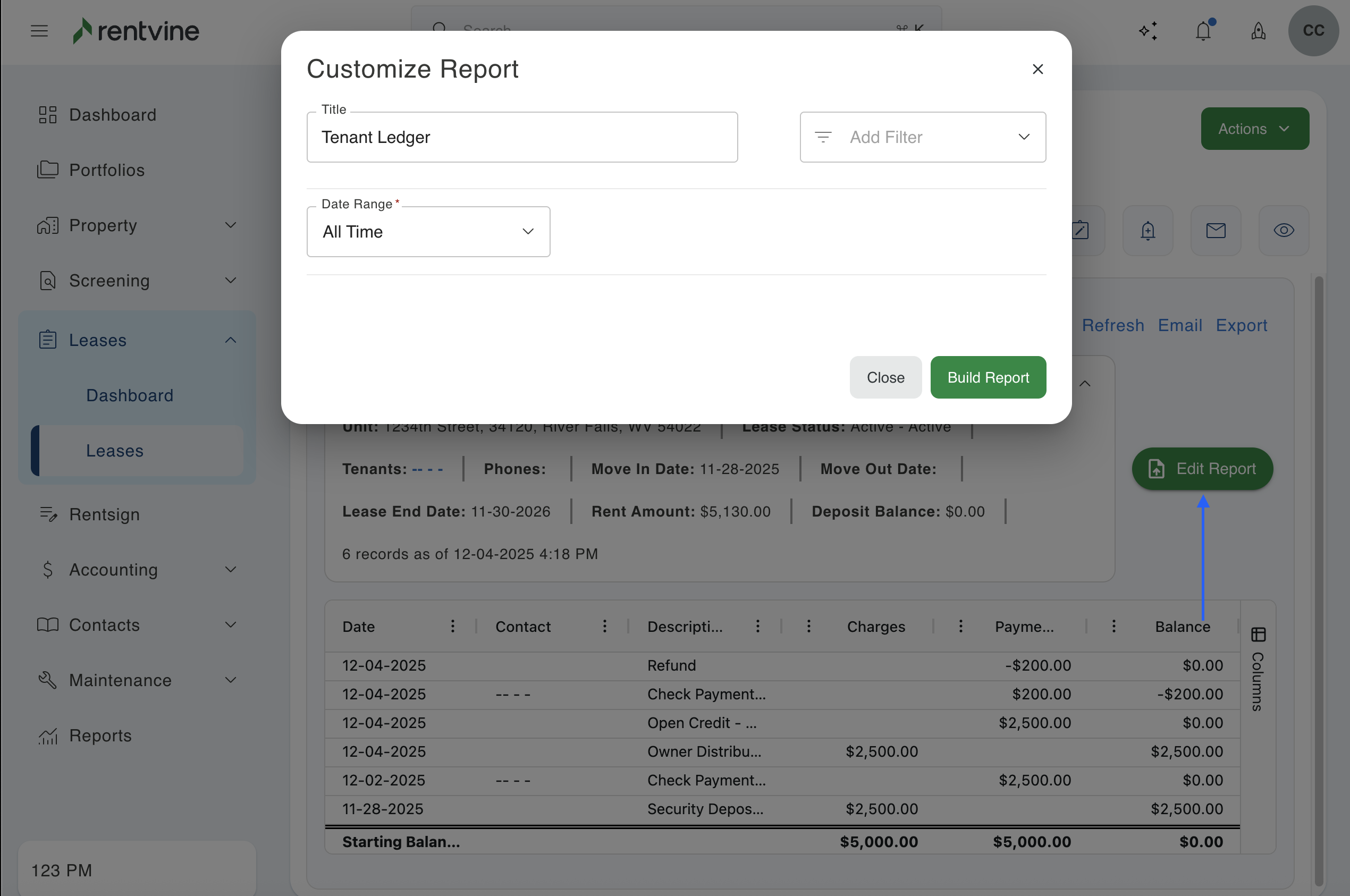
4. You can view the report customization to export, save, and send this ledger to anyone you may need.
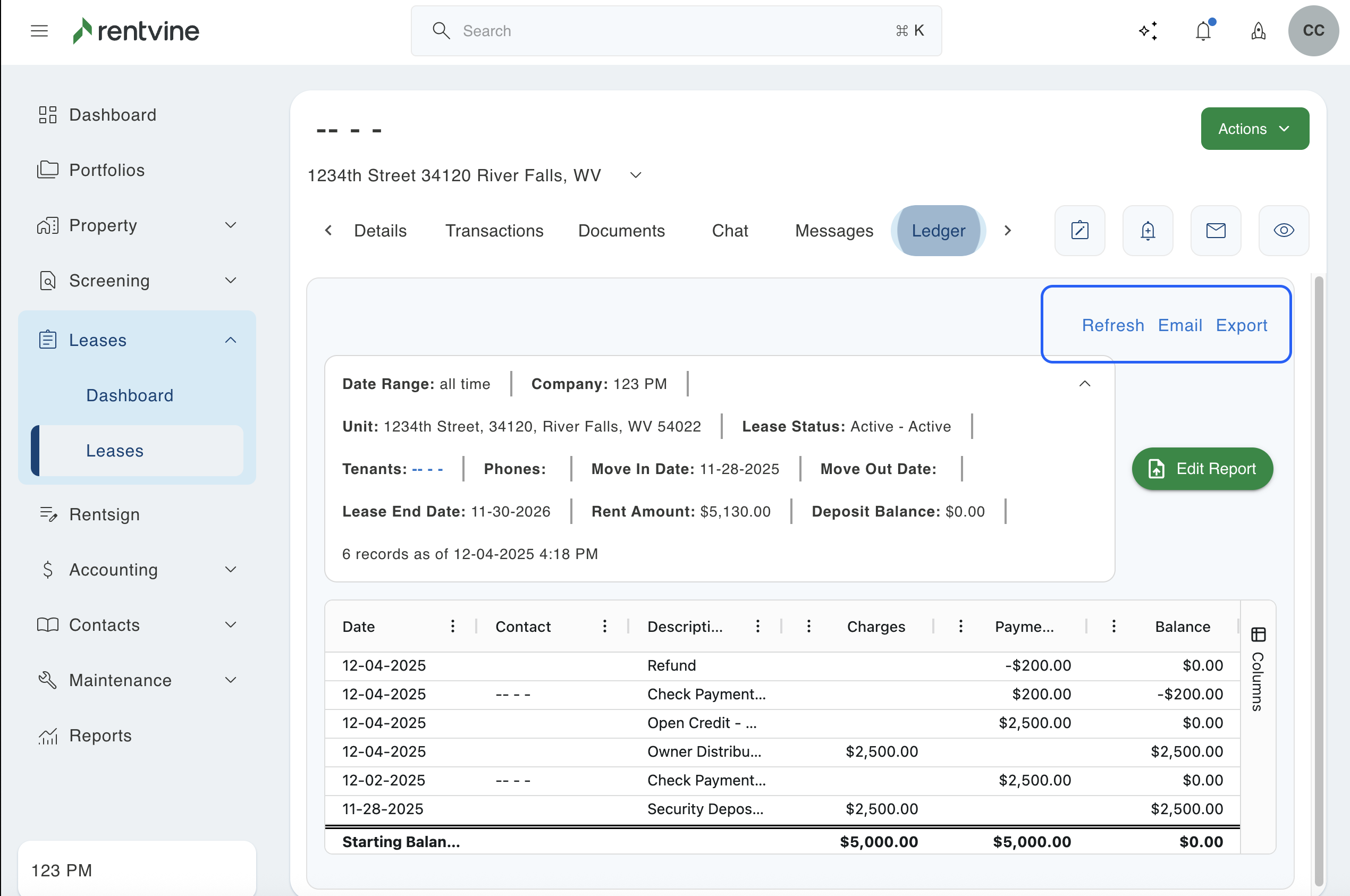
5. You can also click the green "Edit Report" button in the ledger. This will allow you to customize the ledger report you want to run. You can add filters or columns that you want to include in the report, then press the "Build Report" button to populate the report.