![rentvine-logo-white-rgb-1600px.png]](https://help.rentvine.com/hs-fs/hubfs/rentvine-logo-white-rgb-1600px.png?height=40&name=rentvine-logo-white-rgb-1600px.png)
Enabling/disabling these toggles will affect all of the owner portals within your Rentvine account. This will be when an owner logs in and is going to make a contribution through their portal. If both toggles are on, they will see the option to pay via CC or ACH. You can toggle both off or a single one off by following this article.
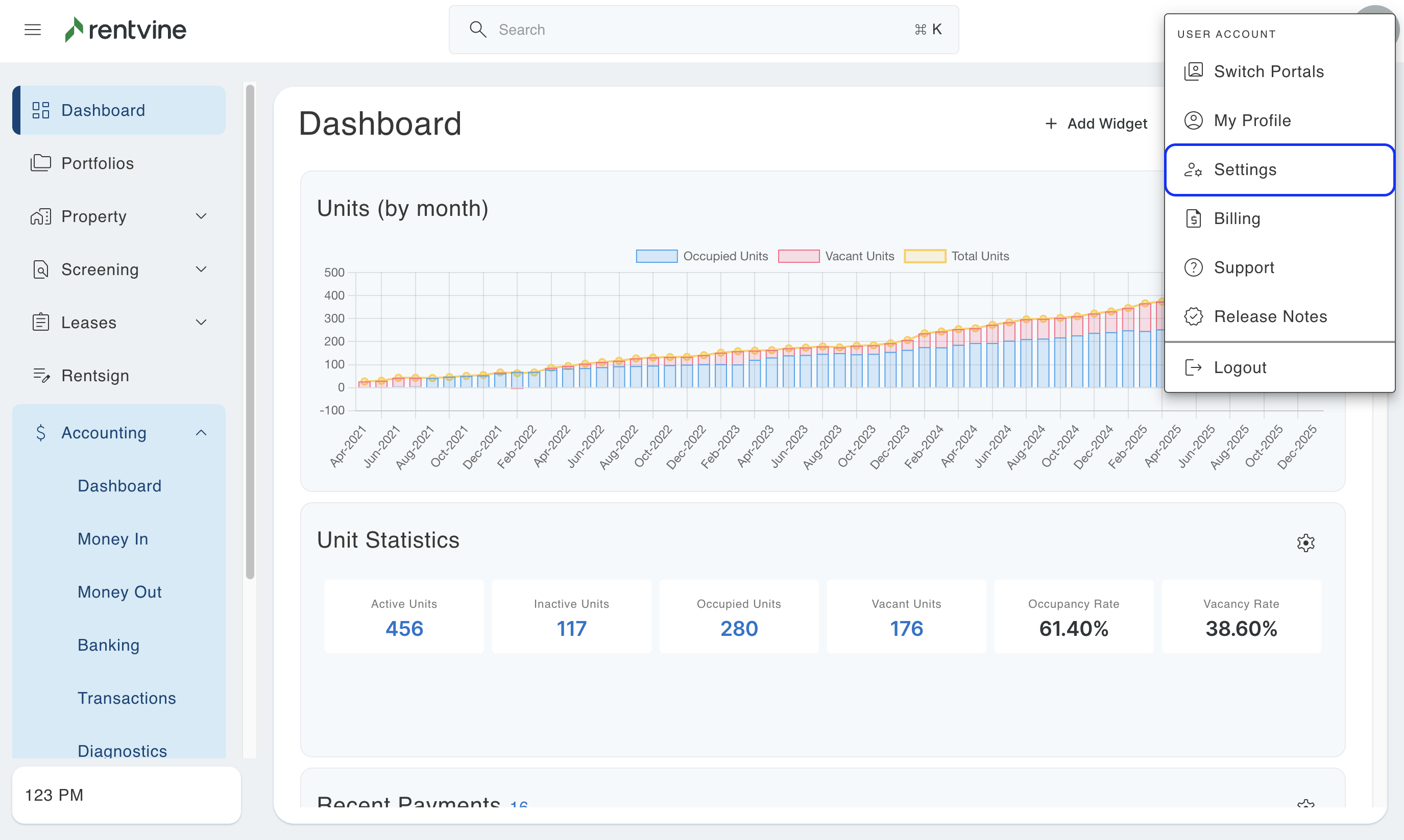
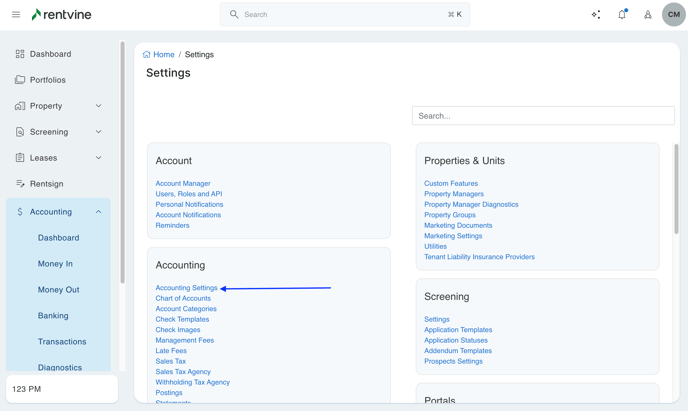
- Navigate to Settings / Accounting Settings
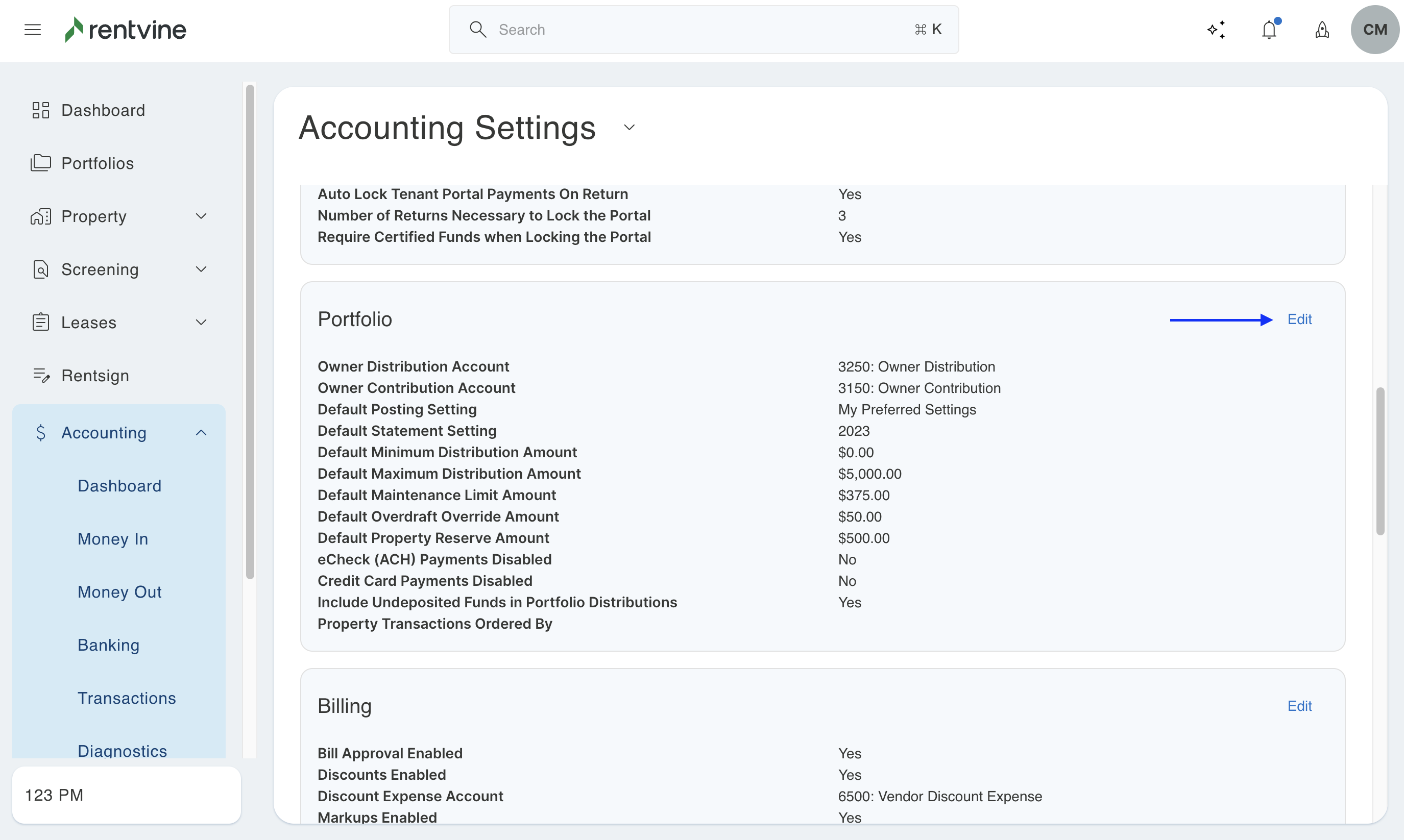
- Go to the Portfolio section and click Edit
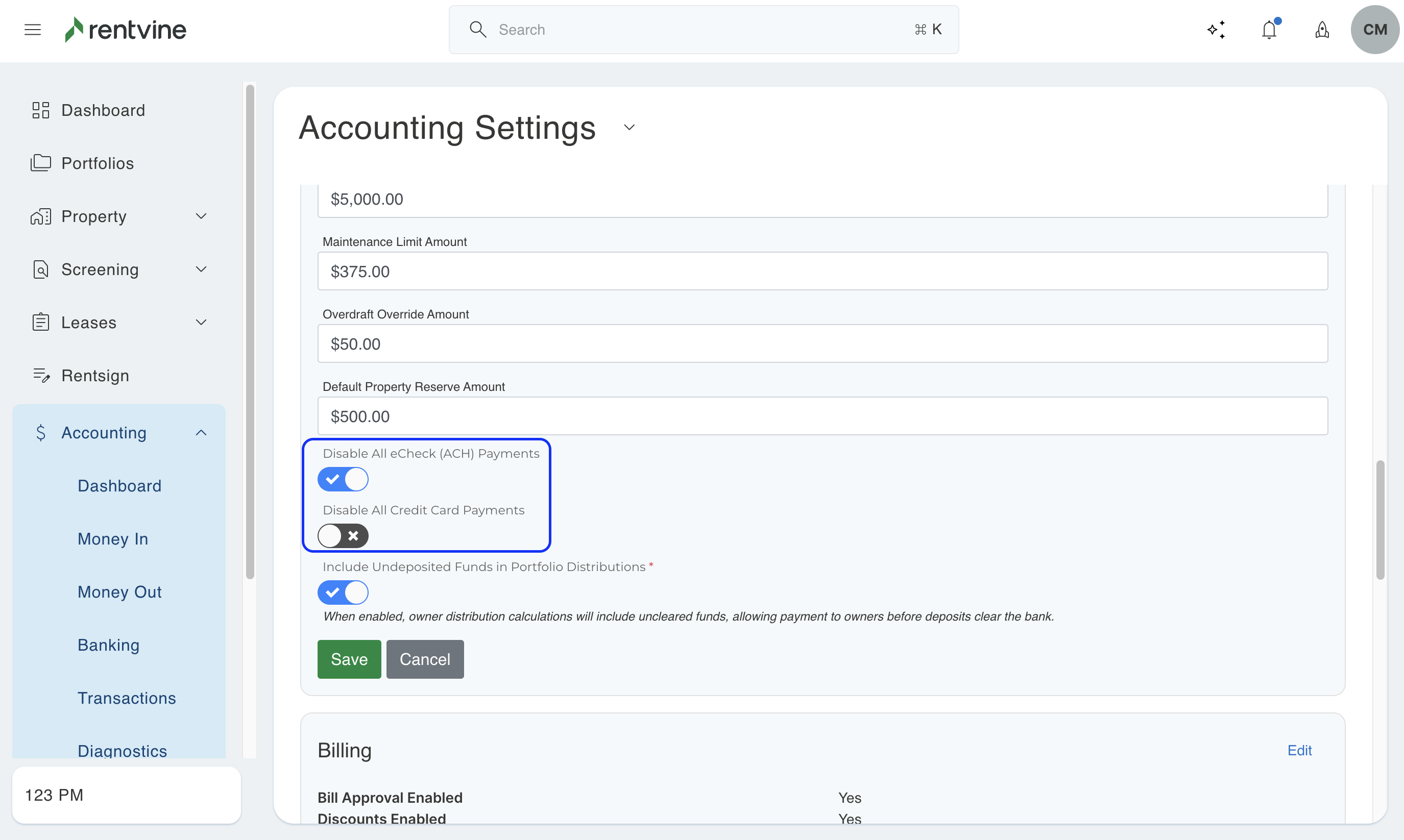
- To disable ALL electronic contributions across all owner portals, make sure to toggle on both so that Disable All eCheck and Disable All Credit Card payments are disabled
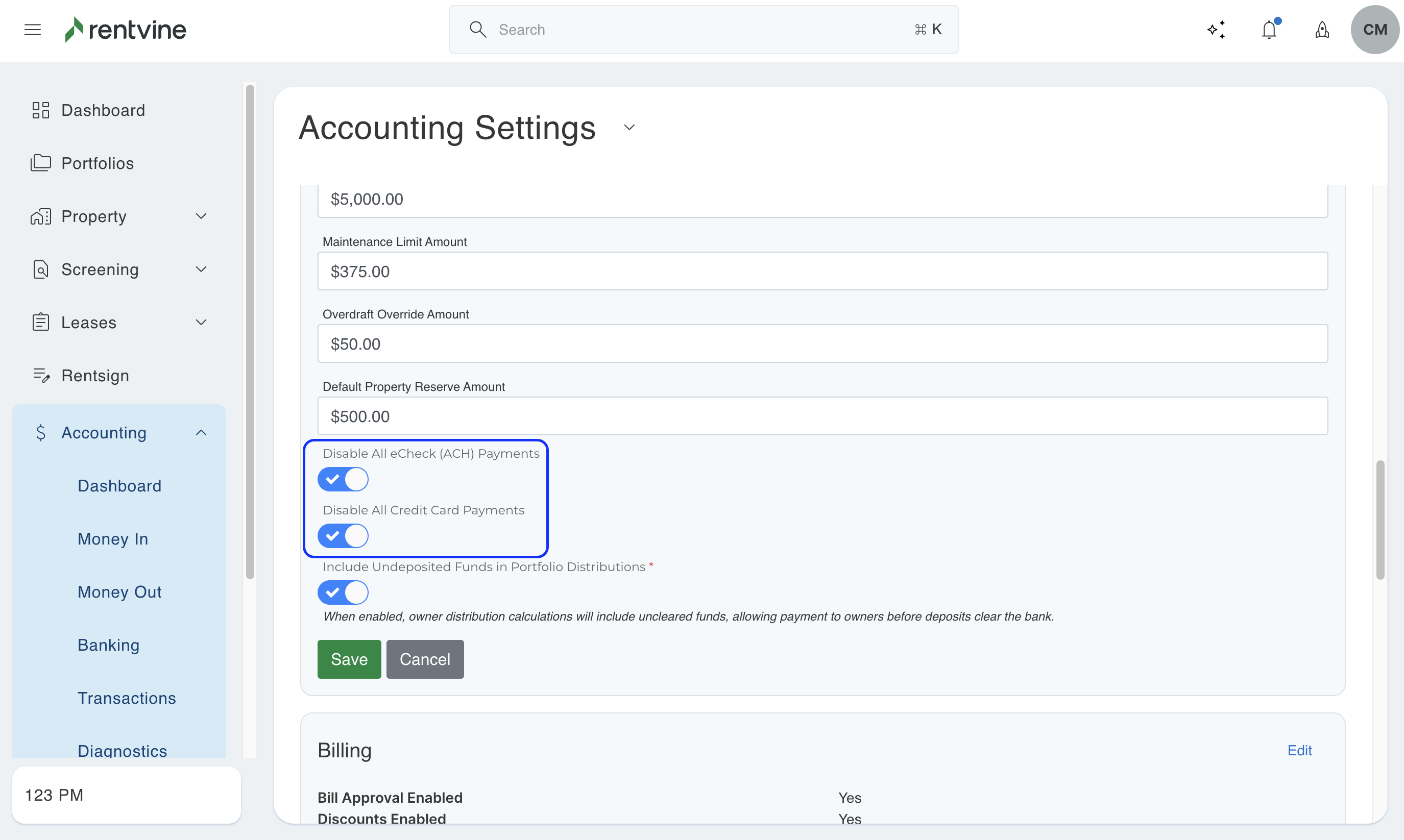
- To Disable eCheck Payments Only, toggle on Disable All eCheck payments
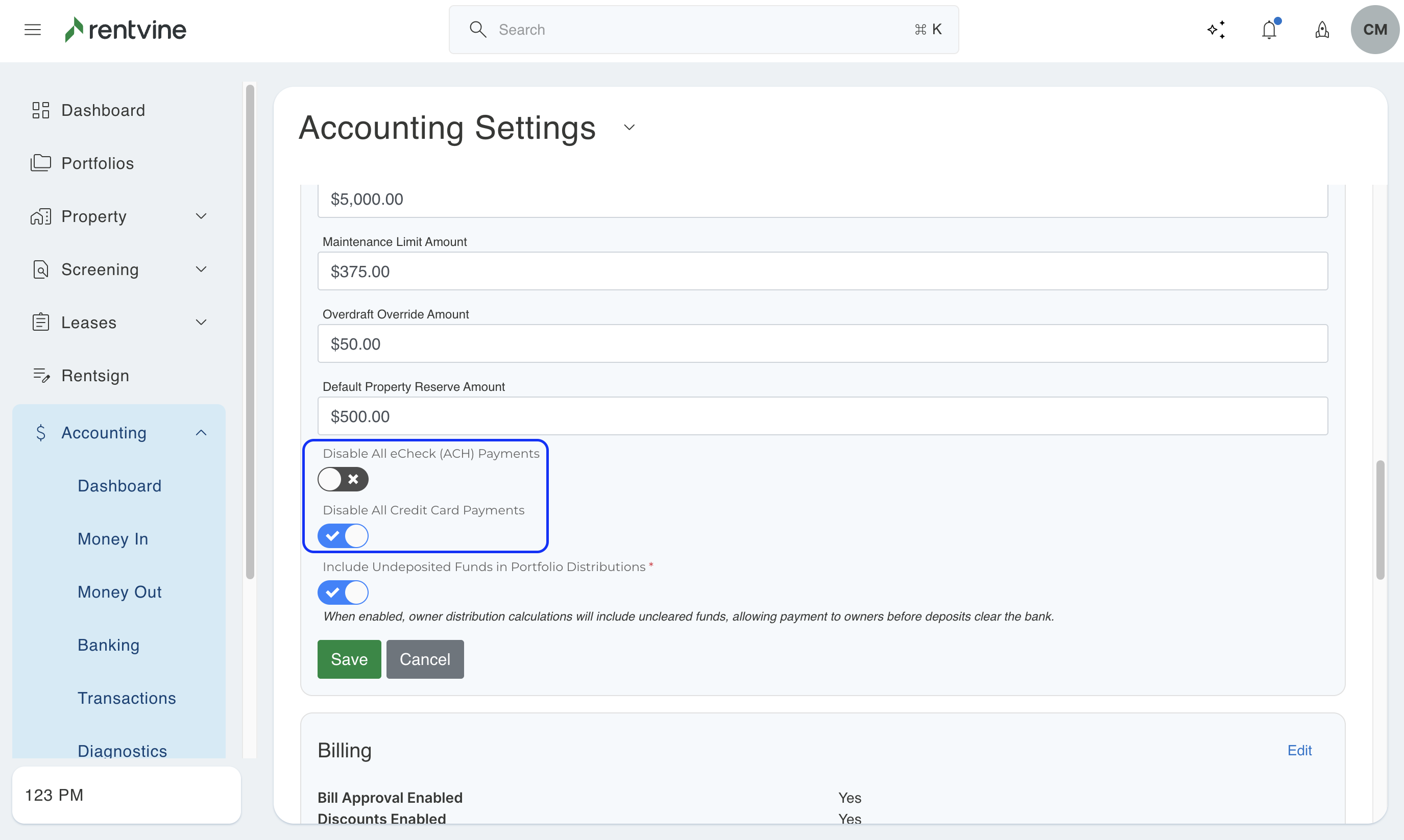
- To Disable Credit Card Payments Only, toggle on Disable All Credit Card Payments
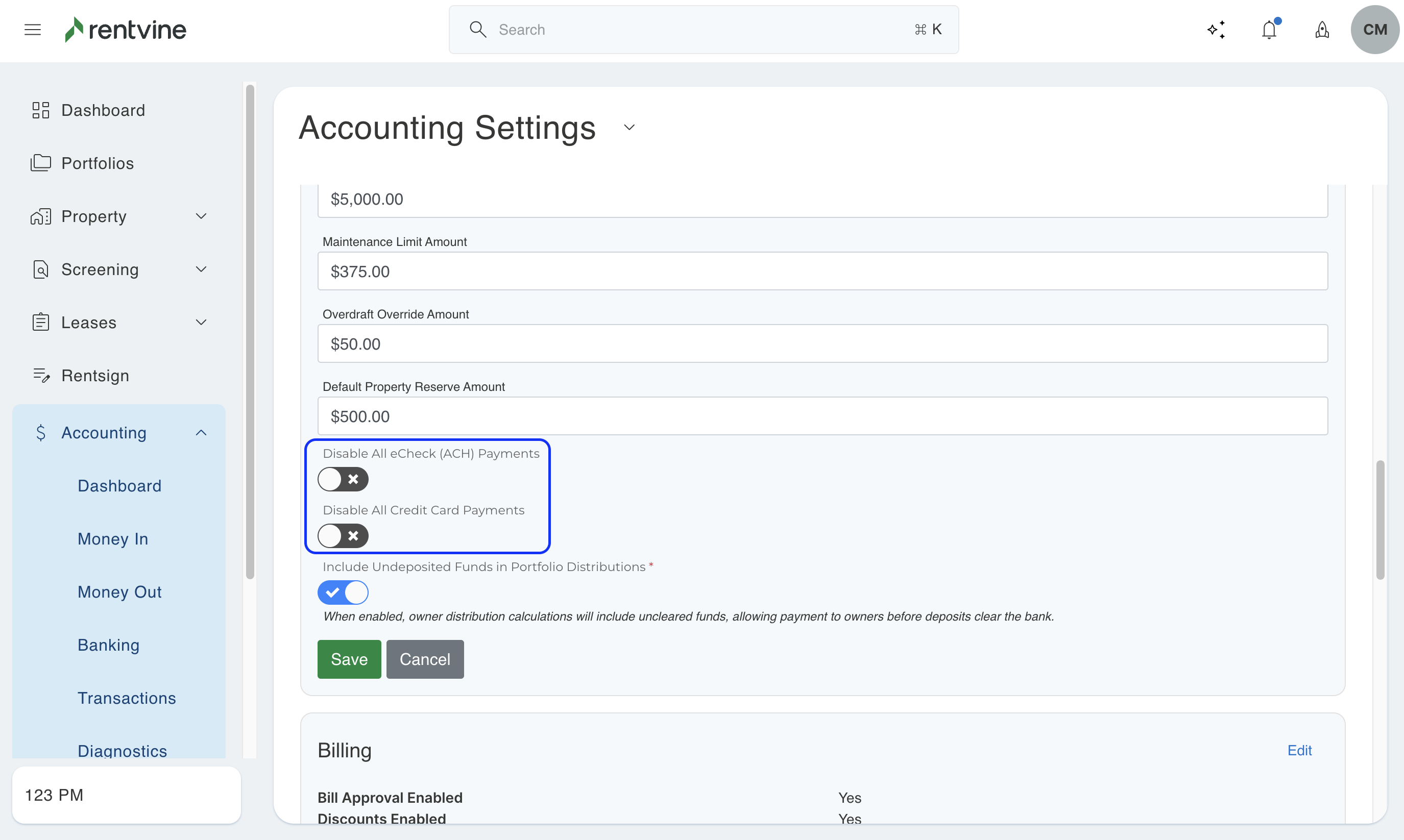
- To enable ALL electronic payments, do not toggle on
- Click Save when finished. The changes that are made affect ALL Owner Portals in your Rentvine account.