![rentvine-logo-white-rgb-1600px.png]](https://help.rentvine.com/hs-fs/hubfs/rentvine-logo-white-rgb-1600px.png?height=40&name=rentvine-logo-white-rgb-1600px.png)
- Click on the global search and type in "Accounting Settings."
- Click on the navigation to access those settings

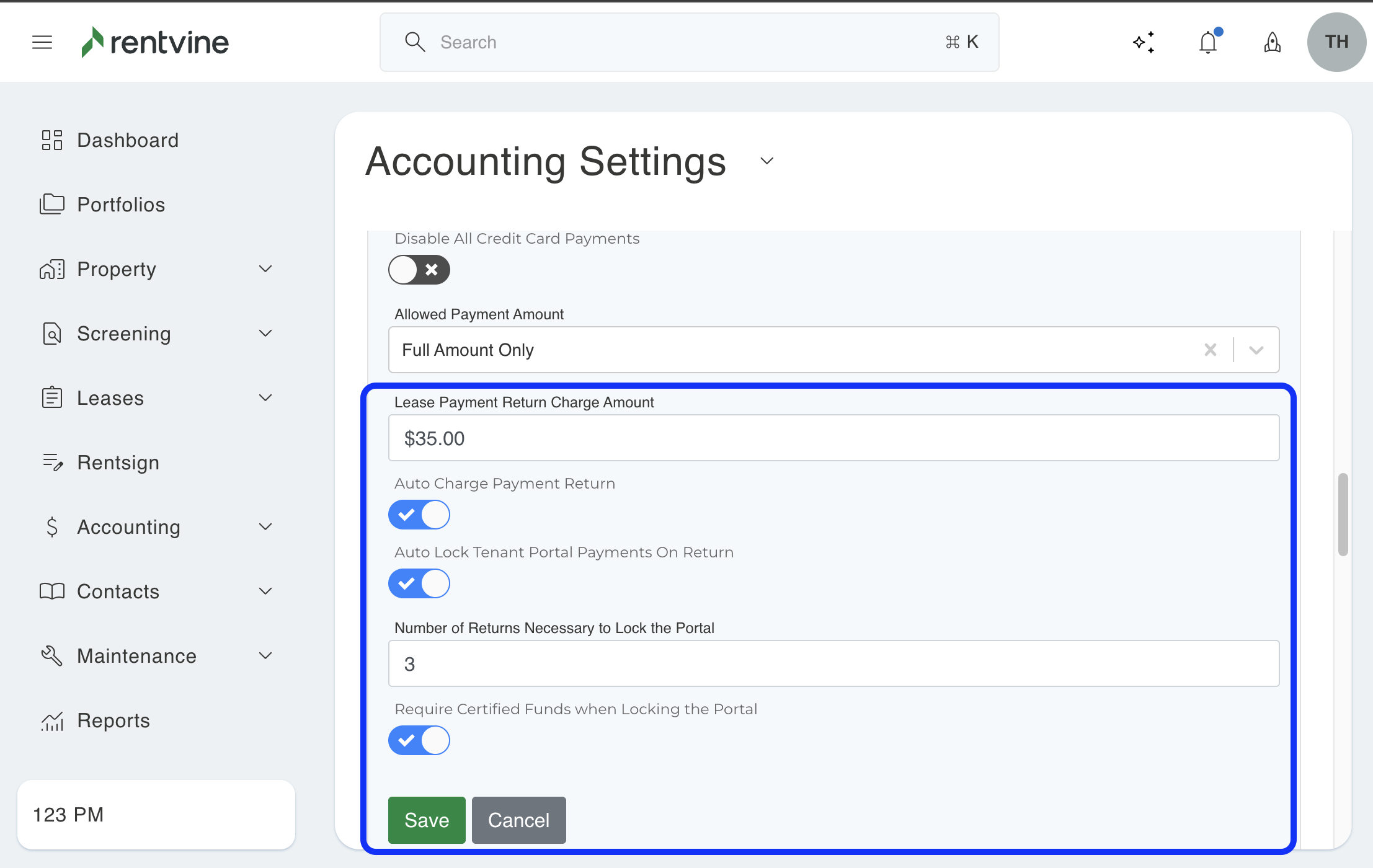
- Under the ‘Lease’ section, click on Edit.

- NSF Funds Account - Choose the appropriate account to be used when the charge is automatically created
- Lease Payment Return Charge Amount - Choose a default amount to charge the tenant
- Auto Charge Payment Return - Turn this on to enable automatic charging of the NSF fee to the tenant when an electronic tenant payment is returned.
- Auto Lock Tenant Portal Payment On Return- With this toggle on, you can choose how many times this happens before the portal payments are disabled for this tenant.
- Click Save