
Fixie is an AI-powered maintenance assistant designed to simplify how residents submit work orders. Instead of filling out a traditional form, residents can describe their issue naturally—by typing, speaking, or sharing photos or videos.
Fixie then guides them through a short troubleshooting process before submitting a work order, helping ensure requests are clear, complete, and actionable for your team.
What your residents will see
-
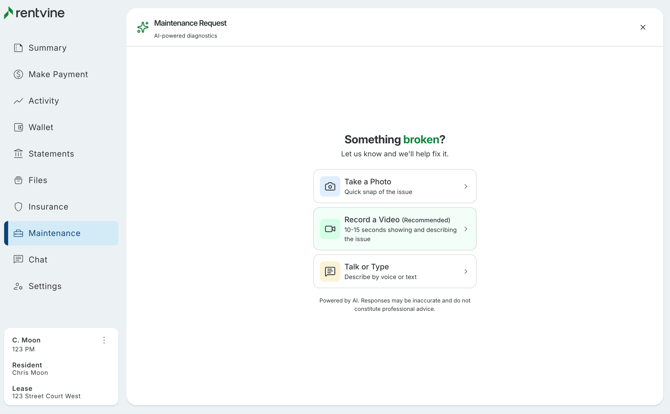
When a resident opens the maintenance portal, they’ll be greeted with:
“Hi, I’m Fixie, your AI maintenance assistant. I’m here to help get your request to the right person quickly.”
From there, residents are guided through a simple, chat-based experience where they can:
-
- Talk or type their issue
- Upload a photo of the problem
- Submit a video (recommended for best results)
-
After the resident submits their issue, Fixie will:
- Ask a few follow-up questions
- Suggest safe troubleshooting steps
- Help determine if the issue can be resolved immediately
⚠️ Fixie will only suggest safe actions and will not recommend anything that could be dangerous or require professional expertise.
-
At the end of the interaction, Fixie confirms the outcome for the Property Manager:
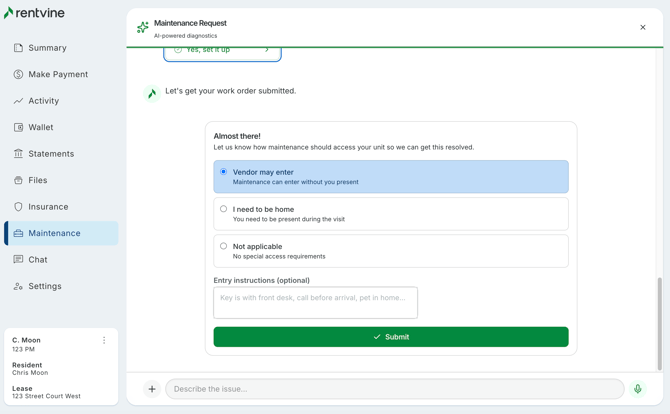
If the issue is still unresolved:
- A work order is automatically created on the resident’s behalf
- Includes a detailed summary and full transcript
If the issue is resolved:
-
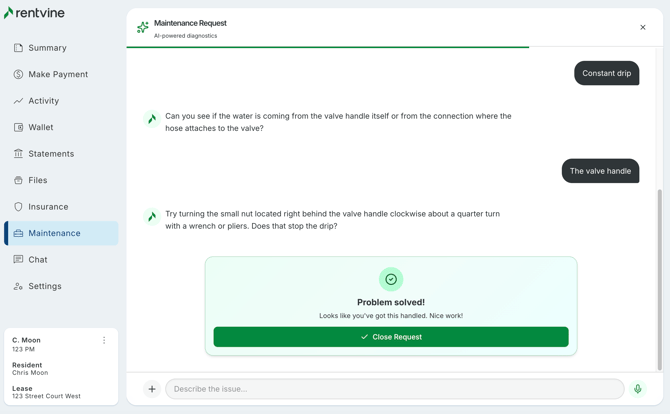
When a tenant submits a maintenance request, Fixie works directly with them to diagnose the issue and guide them toward a potential solution. This may include troubleshooting common problems—such as a jammed garbage disposal, or answering general policy-related questions.
If the issue is successfully resolved without the need for a property manager, technician, or vendor to step in, the work order will still be created and marked as “Resolved by Agent.” This ensures the interaction is documented for visibility and reporting, while confirming that no further action is required.
What you’ll see in the Manager Portal
-
Work orders submitted through Fixie include additional insights to help your team respond faster.
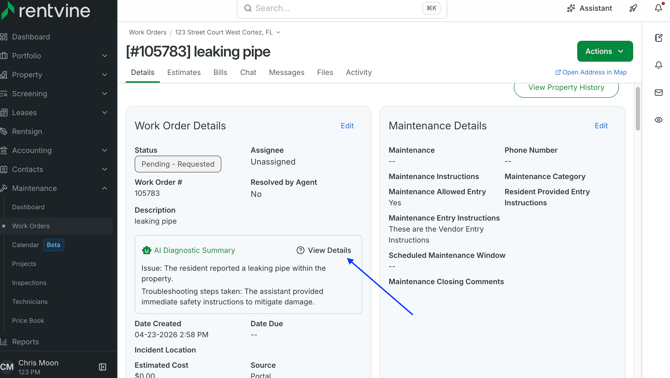
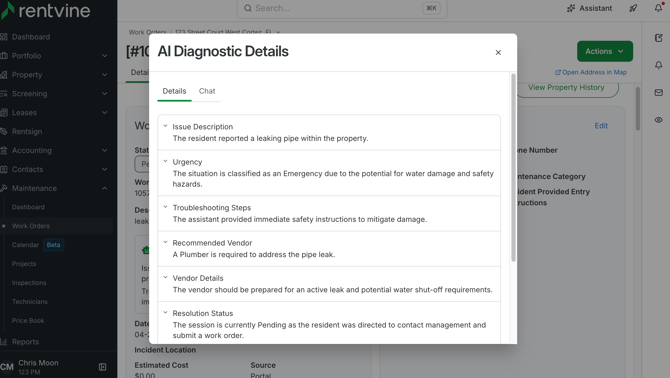
AI Diagnostic Summary
-
A new section in the work order description that includes:
- Key issue details
- Troubleshooting steps taken
- Relevant context gathered by Fixie
Additional Options
- View Details – See the full diagnostic breakdown
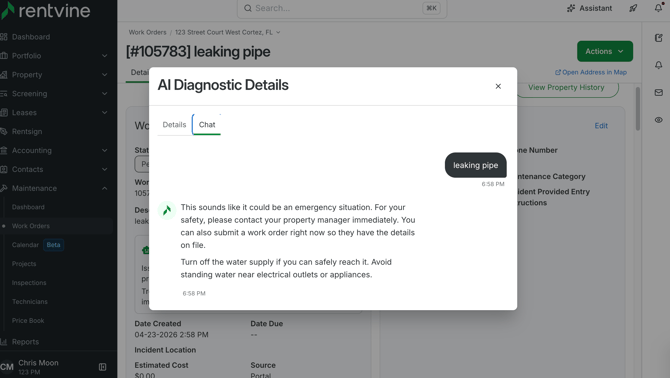
- View Chat – Review the complete conversation between the resident and Fixie
Agent Sessions
-
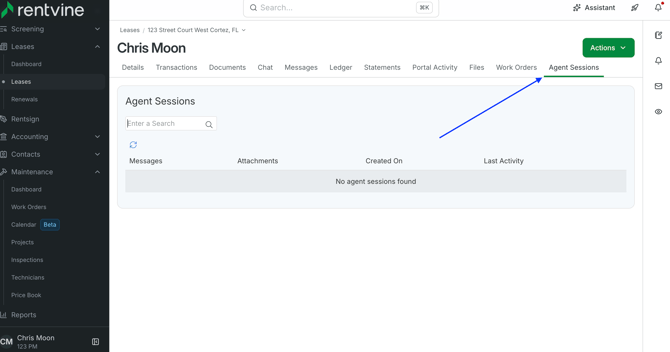
You can also review ongoing and past AI interactions through Agent Sessions.
From here, you can:-
View sessions tied to specific leases
-
Read the full chat history between Fixie and the resident
-
.
Fixie Settings
-
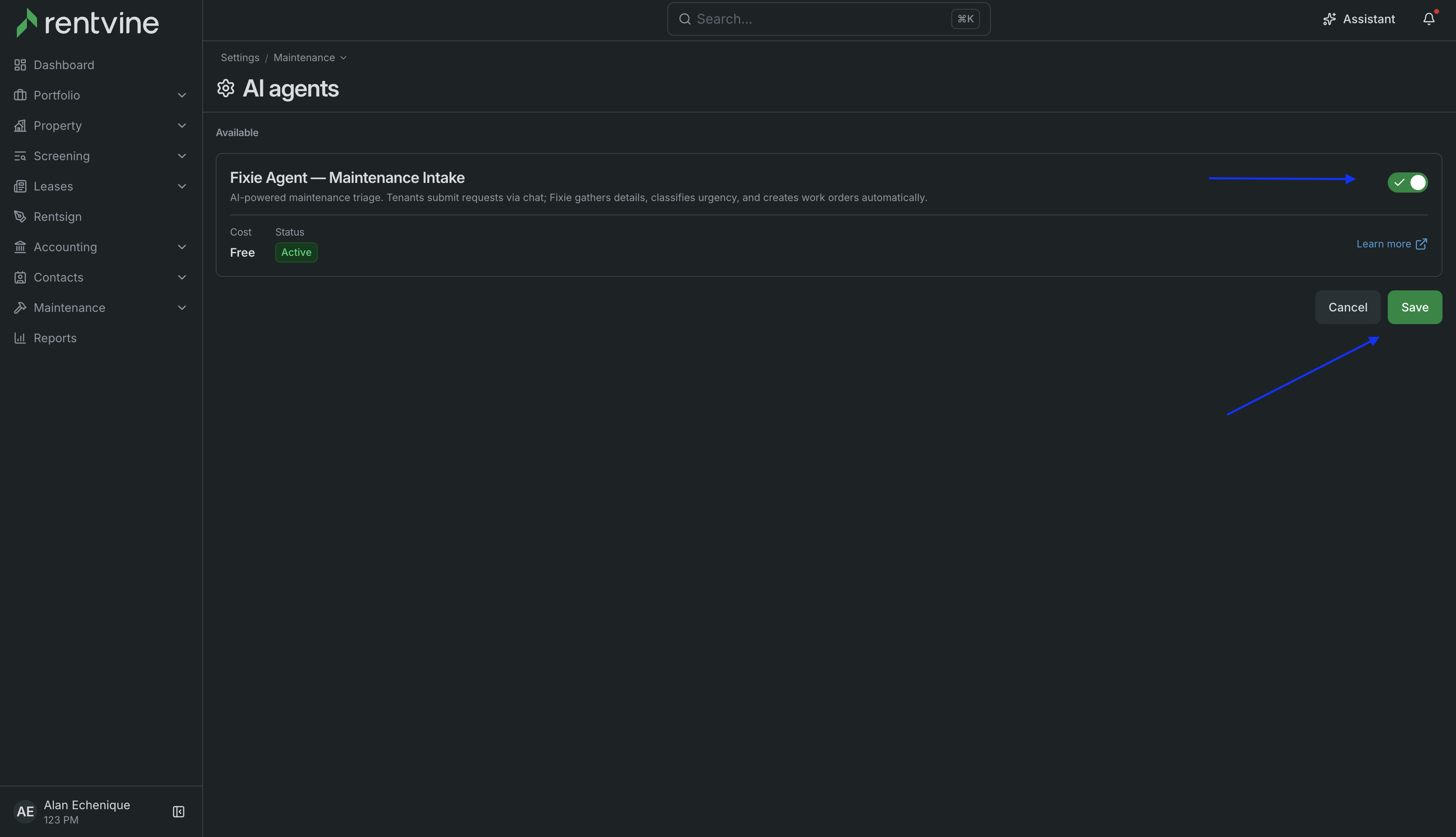
If you and your team would like to turn off Fixie AI, or re-enable if it was previously disabled.
Go to your Settings > and select AI Agents
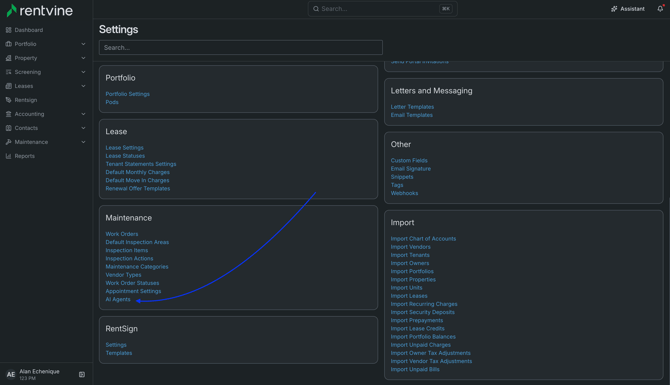
- From here you can toggle the Fixie Agent on or off globally, deciding if your residents can use Fixie when submitting Work Orders from their portal.
FAQ
- Do managers use Fixie?
- No, Fixie is for residents. Managers review the work orders Fixie creates.
- Can residents skip troubleshooting and just submit?
-
Yes, residents can choose to skip troubleshooting and submit a request directly.
-
- Will Fixie recommend unsafe actions?
-
No, Fixie is designed to provide safe guidance only and will stop when professional assistance is required.
-
- What will managers see in a Fixie-created work order?
-
You’ll see all standard work order details, along with:
- AI Diagnostic Summary
- Full chat transcript
- Any uploaded media (photos/videos)
-
- What does “Resolved by agent” mean?
-
It means Fixie helped the resident resolve the issue without needing maintenance. The interaction is still recorded for visibility.
-
- Are Fixie created work orders accessible via third-party systems?
-
Yes, work orders created by Fixie are available via API. If you use third-party tools, check with your provider to ensure they are pulling the AI Diagnostic Summary along with the work order details.
-
- Are Fixie-created work orders accessible through the RV mobile app?
-
Yes. Work orders can be viewed in the Rentvine mobile app. However:
- Standard work order details are visible
- AI Diagnostic Summary and chat transcripts are currently only available on web at this time.
-