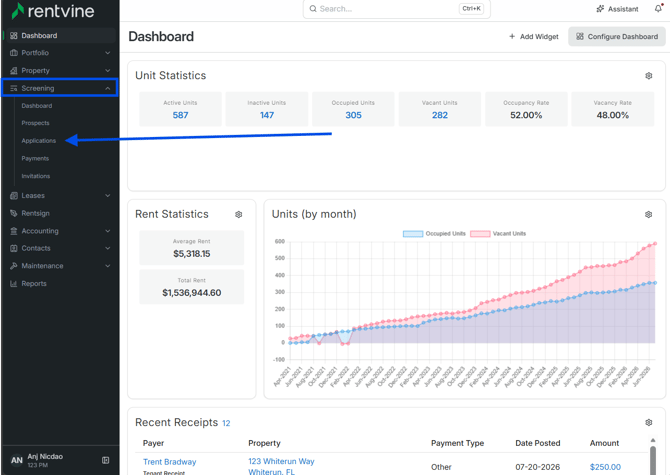
- From Dashboard
- Click Screening
- Then select Applications
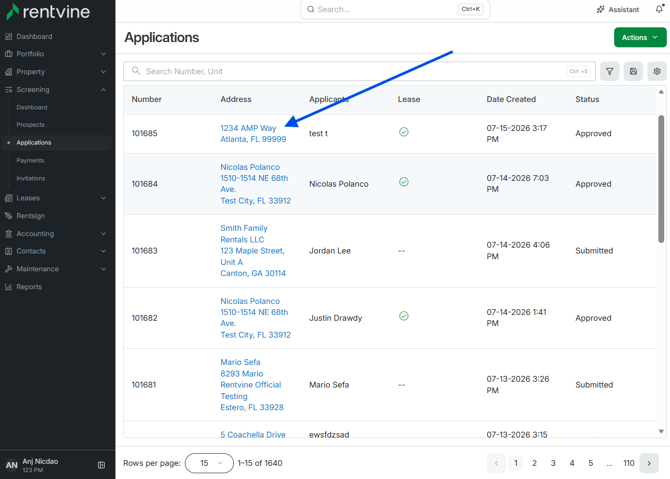
- Once on the Applications page, you will locate the application you would like to view and screen.
- Hover over and click on the Address to be taken to the Application Details page
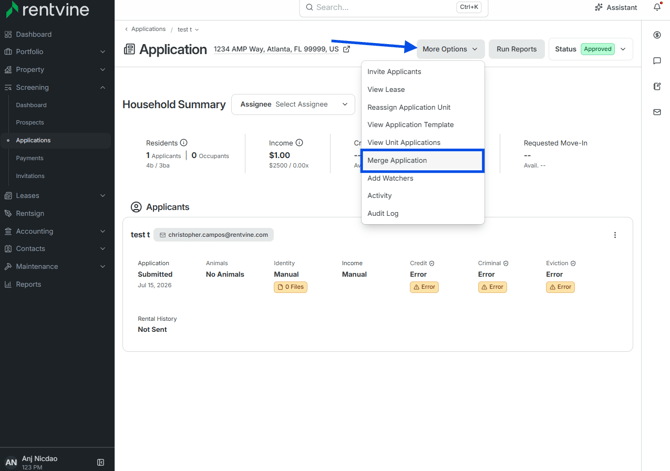
- On the Application Details page, click More Options
- Then select Merge Application
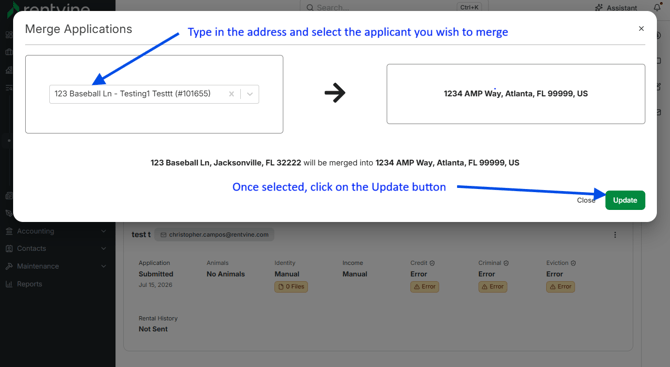
- You will then select from the drop-down or type in which application you would like to merge.
- Click Update
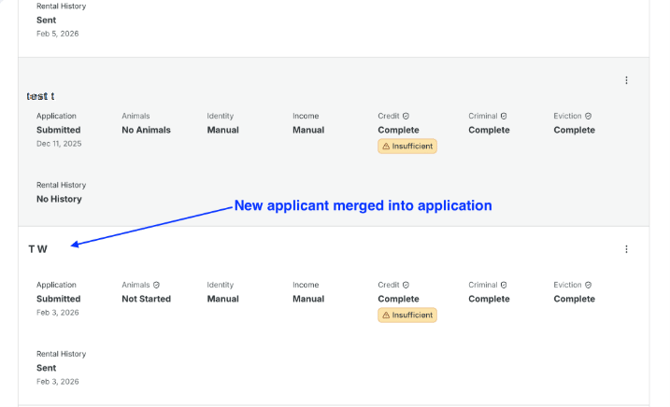
- You will then see the two applicants within the Application Details screen.