-
If you ever run into a situation where you need to add additional charges or credits to a lease after completing the move-out process, you can now easily update and reflect those changes on the Move Out Statement.
Initial Move Out Flow
-
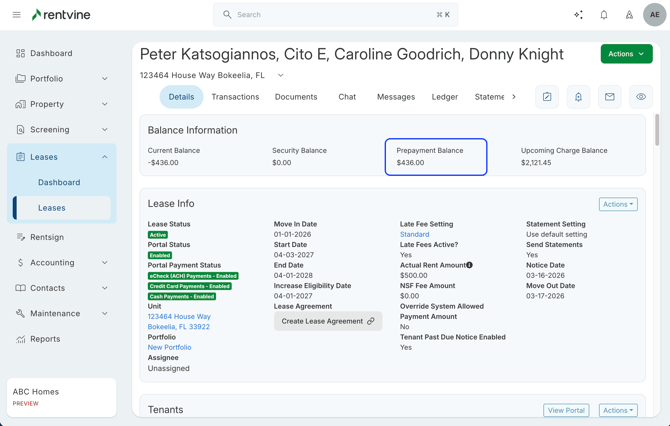
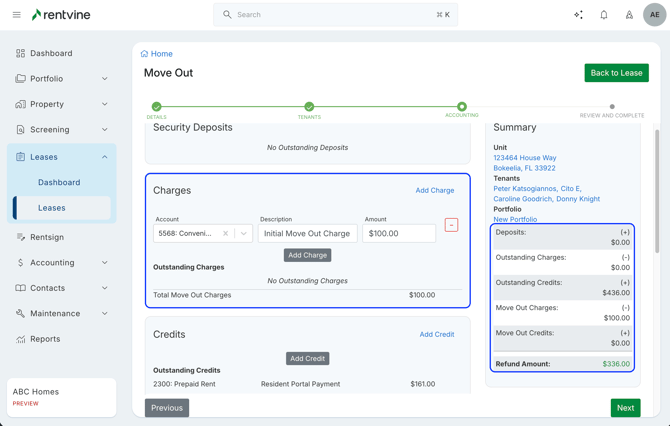
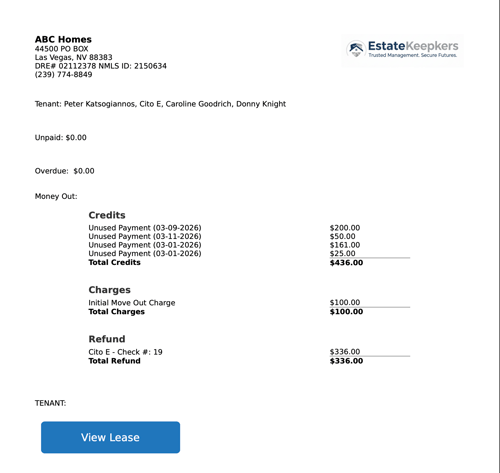
Using this lease as an example, we can see there is a Prepayment Balance of $436. Going through the move out flow, we add a $100 charge and the refund owed to the tenant is $336.
- Once completed, you will see the green Print Move Out Statement on the lease to view the PDF of the Move Out Statement
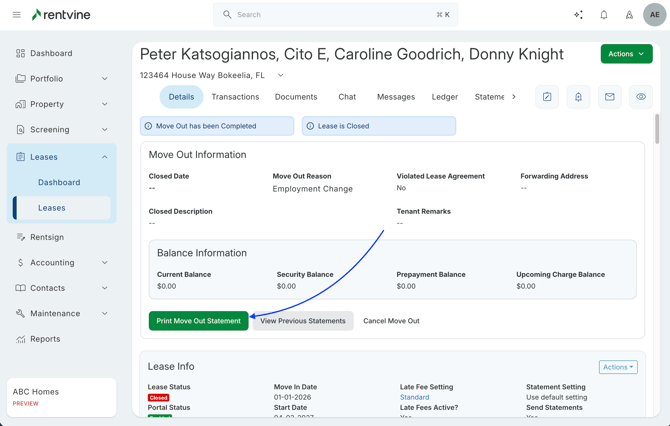
After selecting Print Move Out Statement, you can view previously generated statements by selecting the View Previous Statements button.
You will need to click the Print Move Out Statement for the statements to appear here.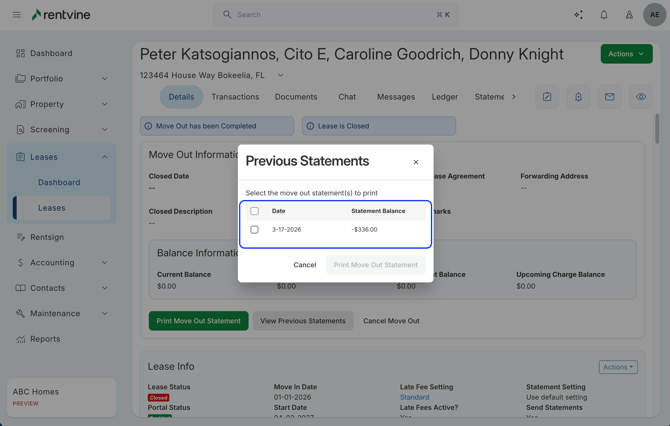
This feature is especially useful for tracking historical statements for record-keeping or legal purposes.
Adding Charges After Move Out Flow
-
If additional charges or credits need to be added after the move out has already been completed, you can do so just like a normal lease transaction.
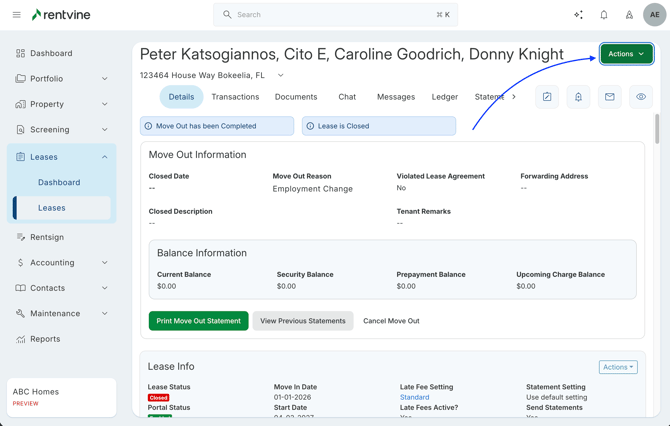
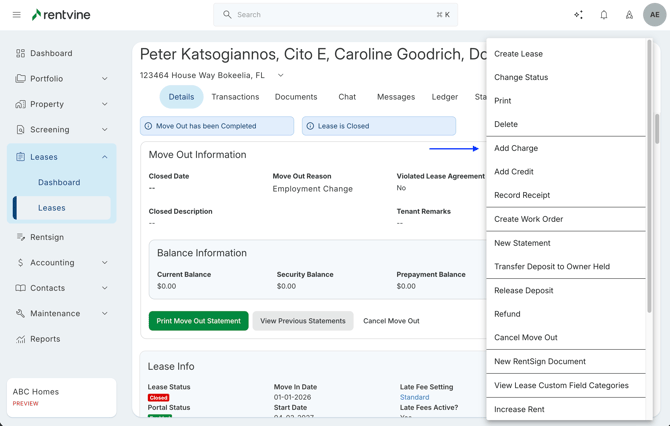
- Enter the new charge details
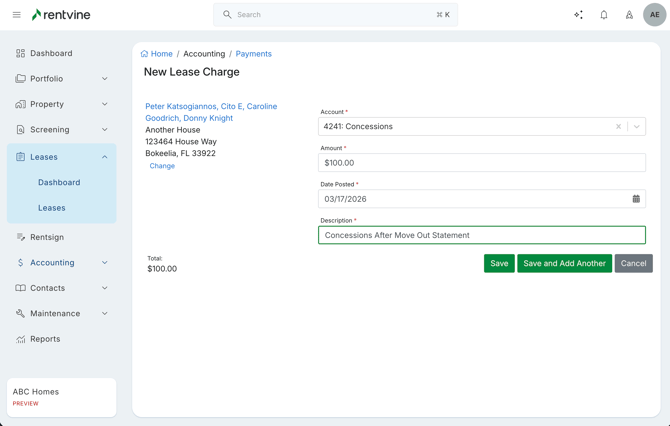
- Click the Print Move Out Statement again to view the new statement with the newly added charges.
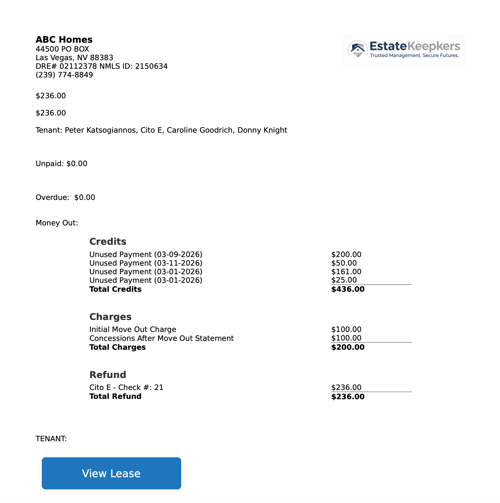
Tracking Multiple Statements
-
Each time a new statement is generated and printed, the system keeps a record of previous versions.
You can access and download these by selecting View Previous Statements, allowing you to maintain a history of all generated move-out statements.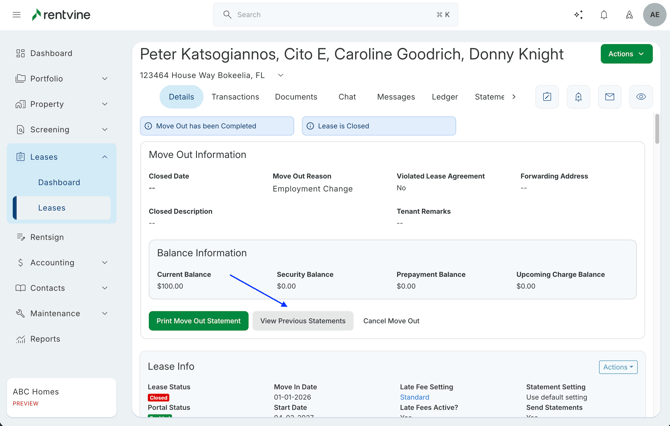
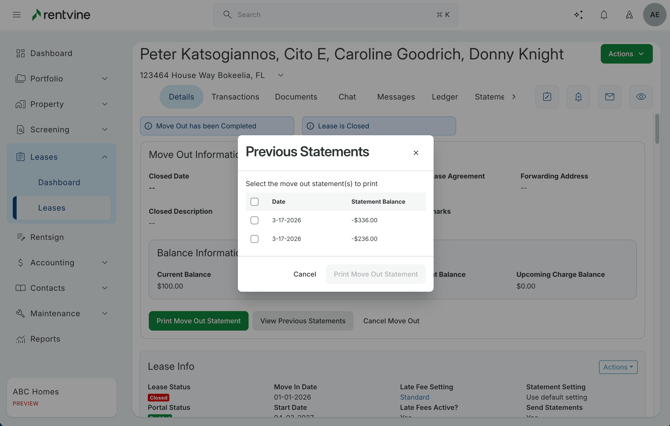
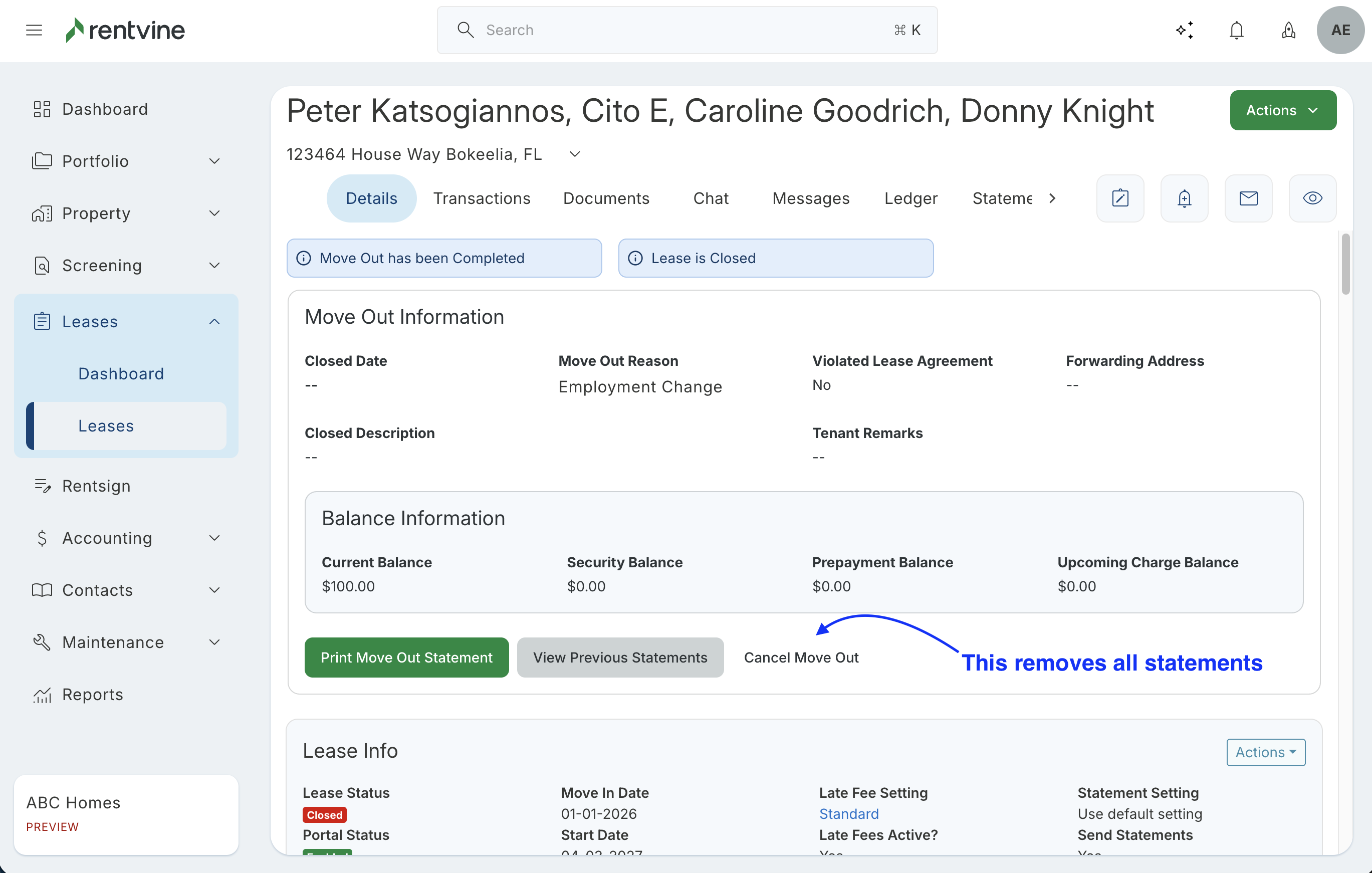
If the move-out is canceled after completion, all previously generated move-out statements will be removed and will no longer be accessible, and cannot be reprinted.